Loading lesson…

Loading lesson…
Besides directly using Lovart, we can also implement a simplified version of a drawing assistant ourselves.
This chapter uses "automatic article illustration" as an example, starting from a real problem and gradually building an Agent with thinking capabilities.
Directly inputting a long article into NanoBanana and asking for an illustration usually doesn't produce ideal results. The reason isn't that the model "can't draw well," but rather that it's not good at understanding long texts.
Image generation models are better suited for handling short, clear visual descriptions. When the input becomes an article containing structure, key points, and contextual relationships, the model can't determine which content truly needs to be expressed in the image. This often leads to results that deviate from the main topic or only capture scattered details, lacking overall summarization ability.
Essentially, image models only have "execution" capability but lack the process of analyzing and making trade-offs about text.
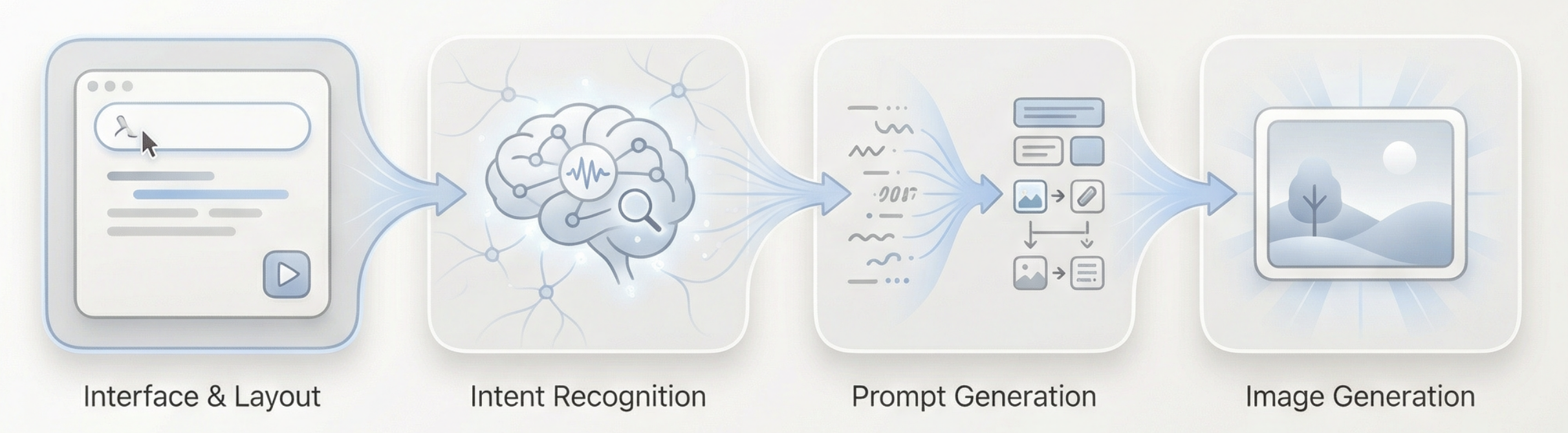
The key to solving this problem is not more complex prompts, but rather thinking things through before drawing. Therefore, we introduce an independent "thinking layer" into the generation process and use it to build the simplest usable Agent.
This Agent has only one core goal: make the final generated image as close as possible to the user's true expressive intent.
The overall process can be summarized as: Long text input → Language model understanding and judgment → Generate appropriate visual prompts → Image model executes generation → Output image
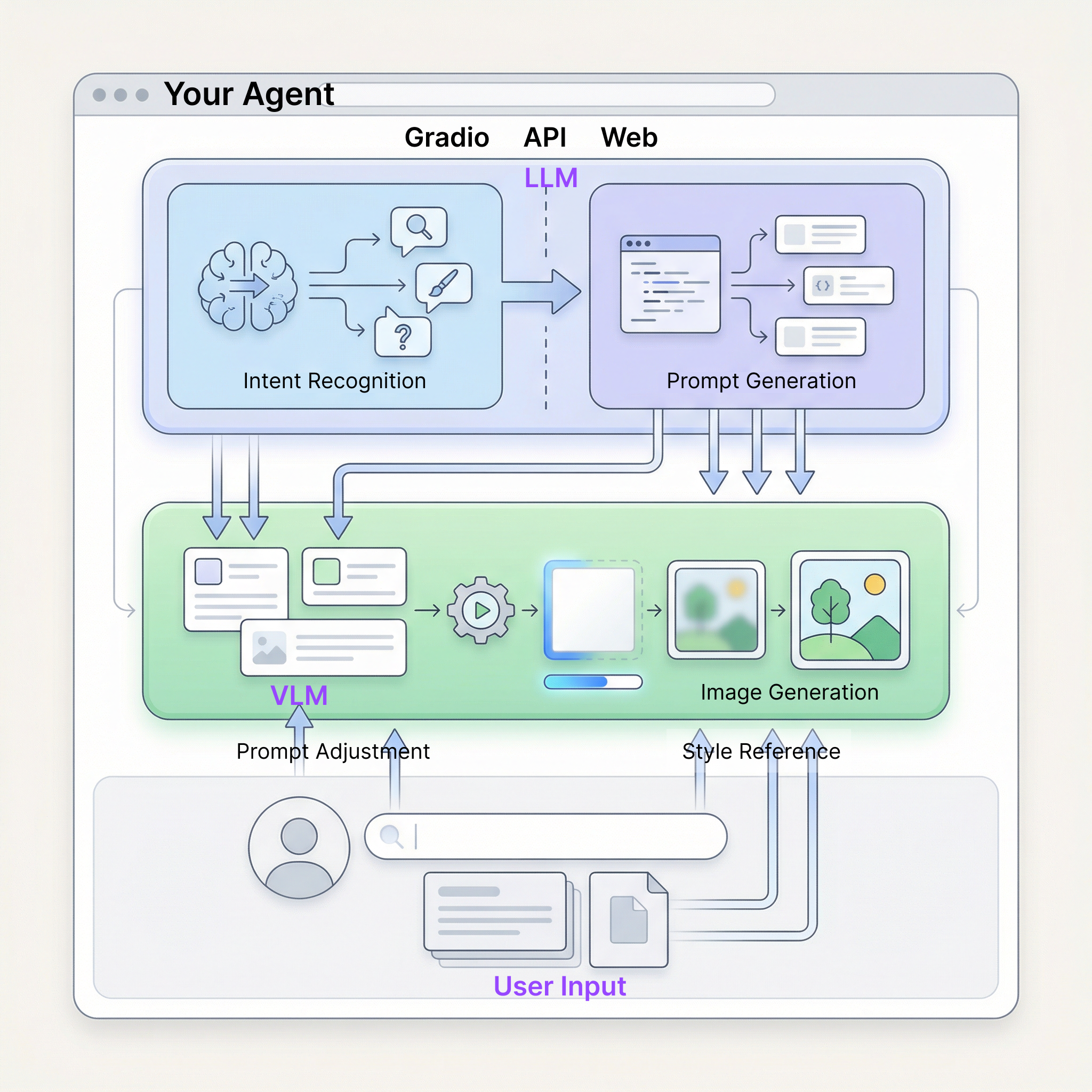
So how can the Agent we build understand the user's intent?
Here we choose to create a simplified "thinking layer" with three different intents: invalid input, direct image generation, and long text requiring understanding.
In this Agent, the division of labor among various roles can be summarized in four points:
Looks interesting, right! To run through the above process, we only need to prepare two types of APIs.
Directly reuse the API Key and API URL already configured in Chapter 1 — no additional setup needed.
We need a large language model to serve as the "thinking layer." This tutorial uses the model service provided by SiliconFlow: https://cloud.siliconflow.cn
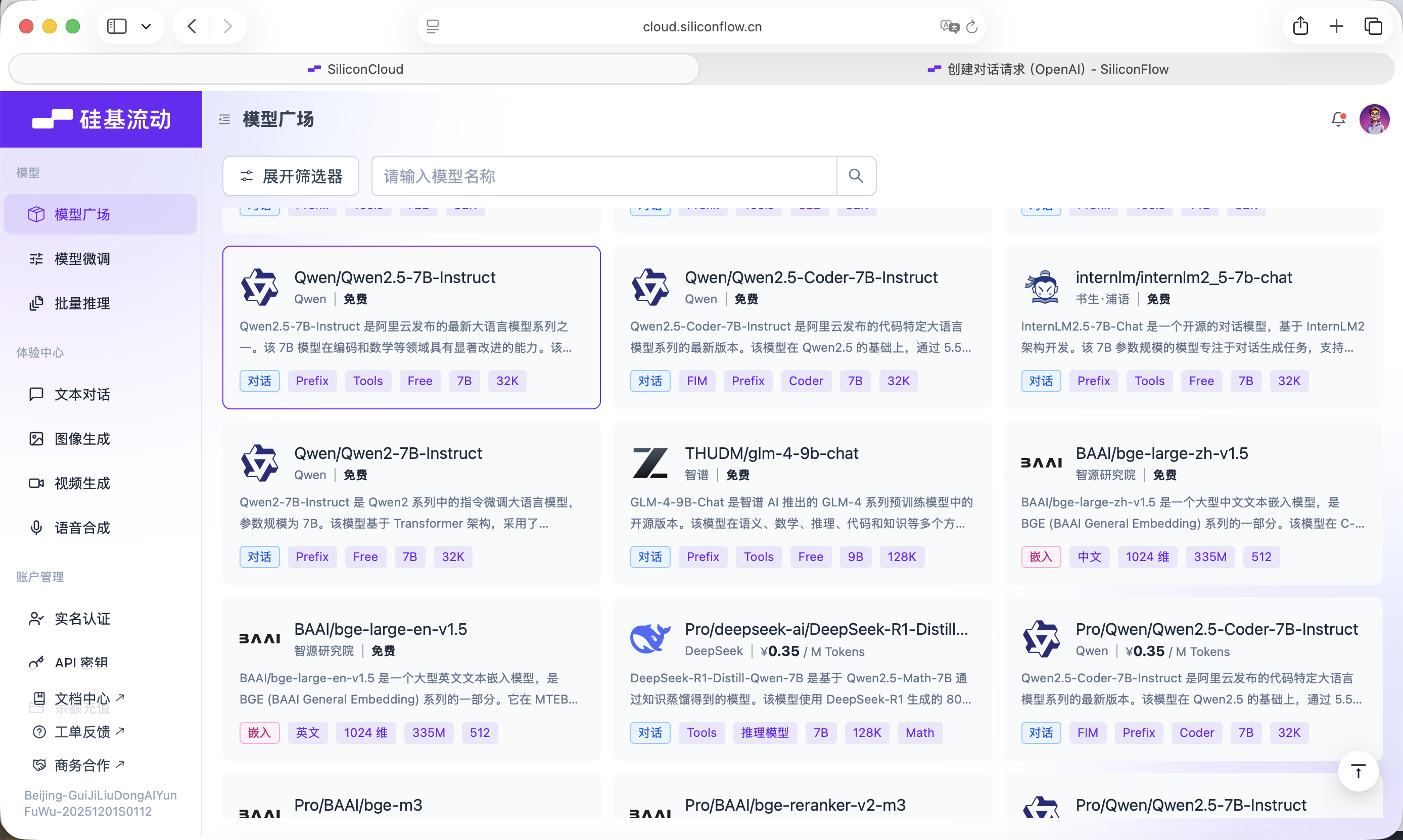
SiliconFlow provides interfaces compatible with the OpenAI API specification, which can be easily called through standard network requests in your project. Here we choose the free Qwen2.5-7B-Instruct model. Everything needed for the call is already written into the Prompt below. Before starting, you only need to register an account on the official website and create an API Key.
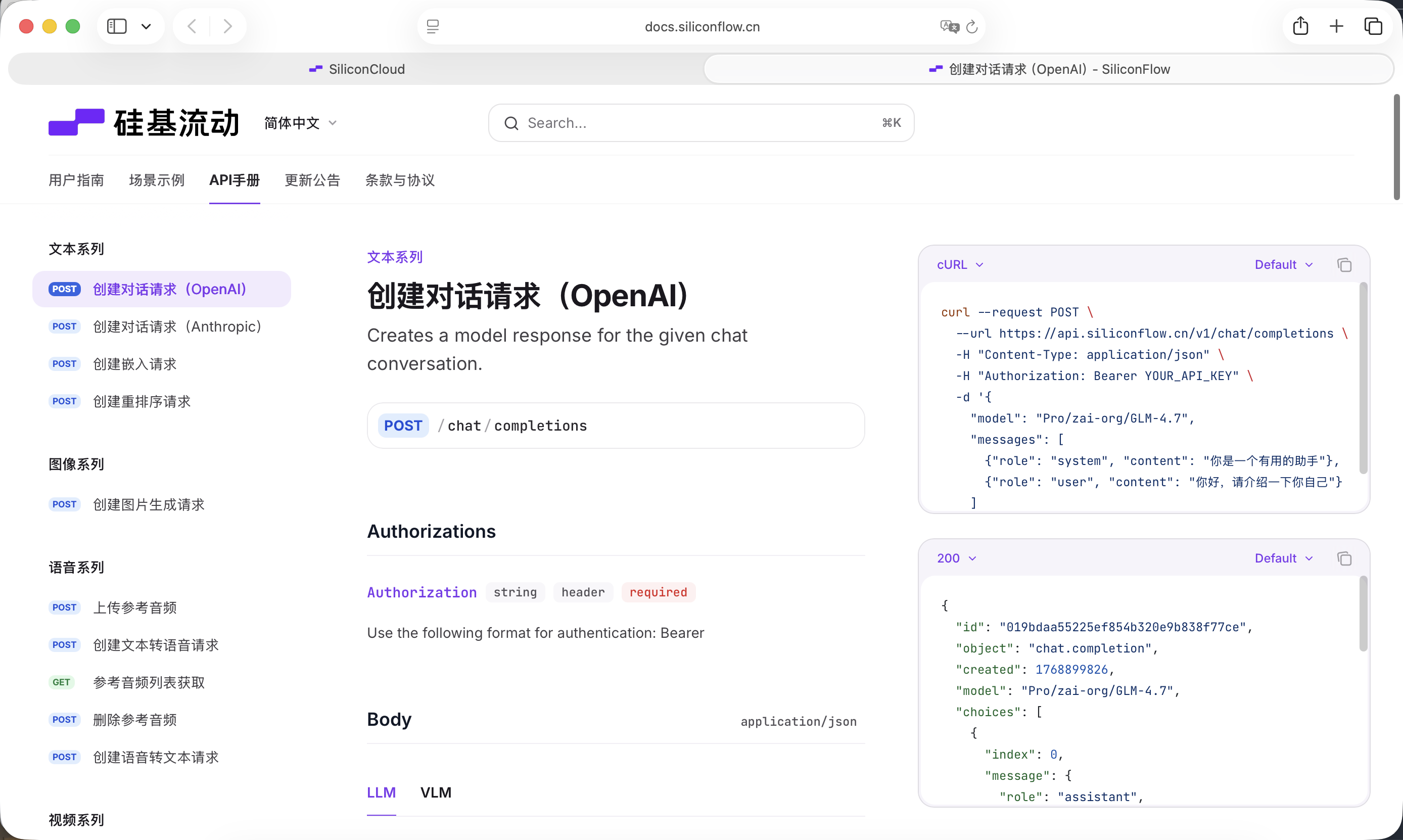
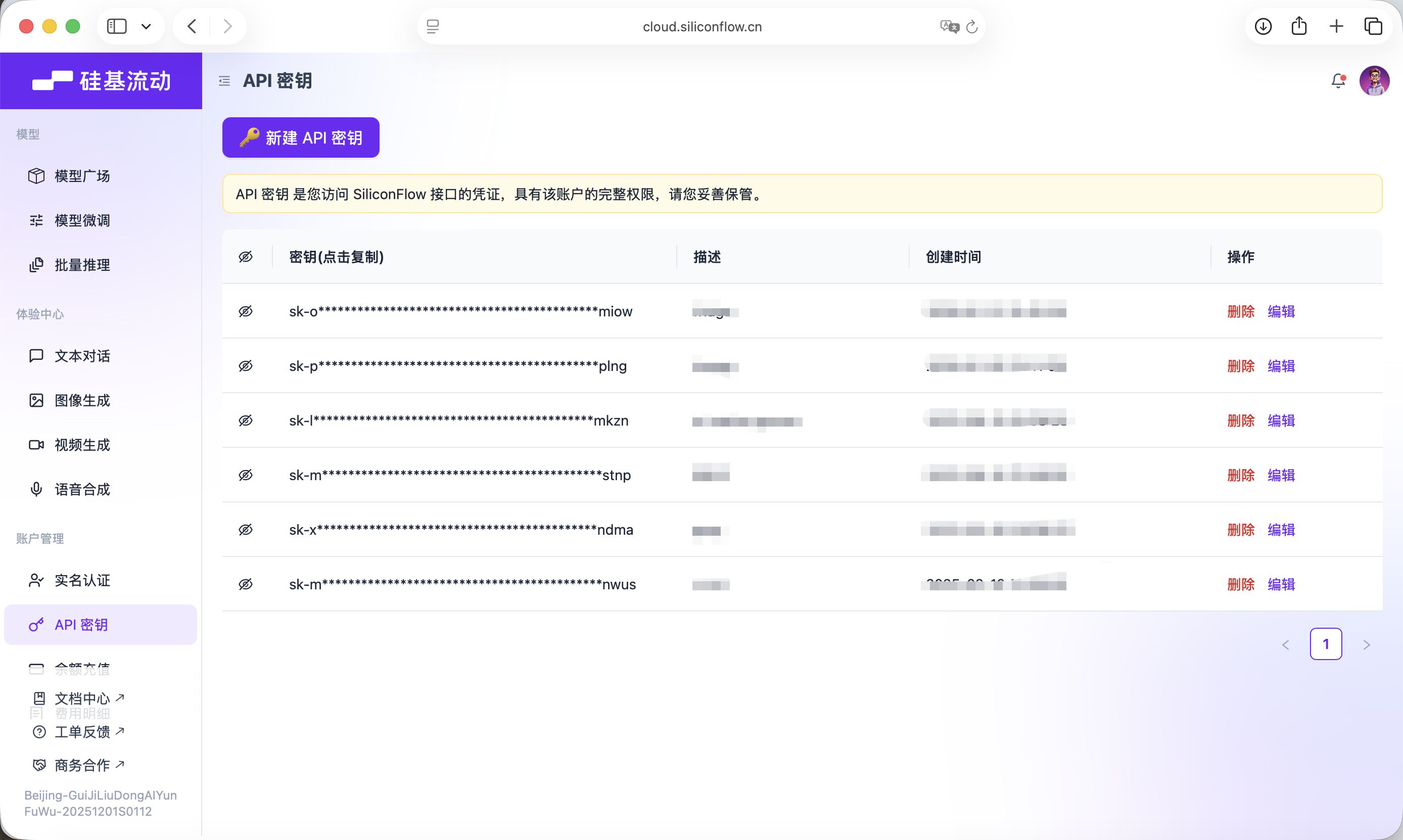
This Key will be used for subsequent model calls.
This experiment primarily uses Trae to help us write code. This tutorial uses the Gemini-3-Pro-Preview model. The overall approach is: create a new project, copy the complete Prompt below into the dialog box and submit it, gradually replace the API KEYs, then run the code and complete testing.
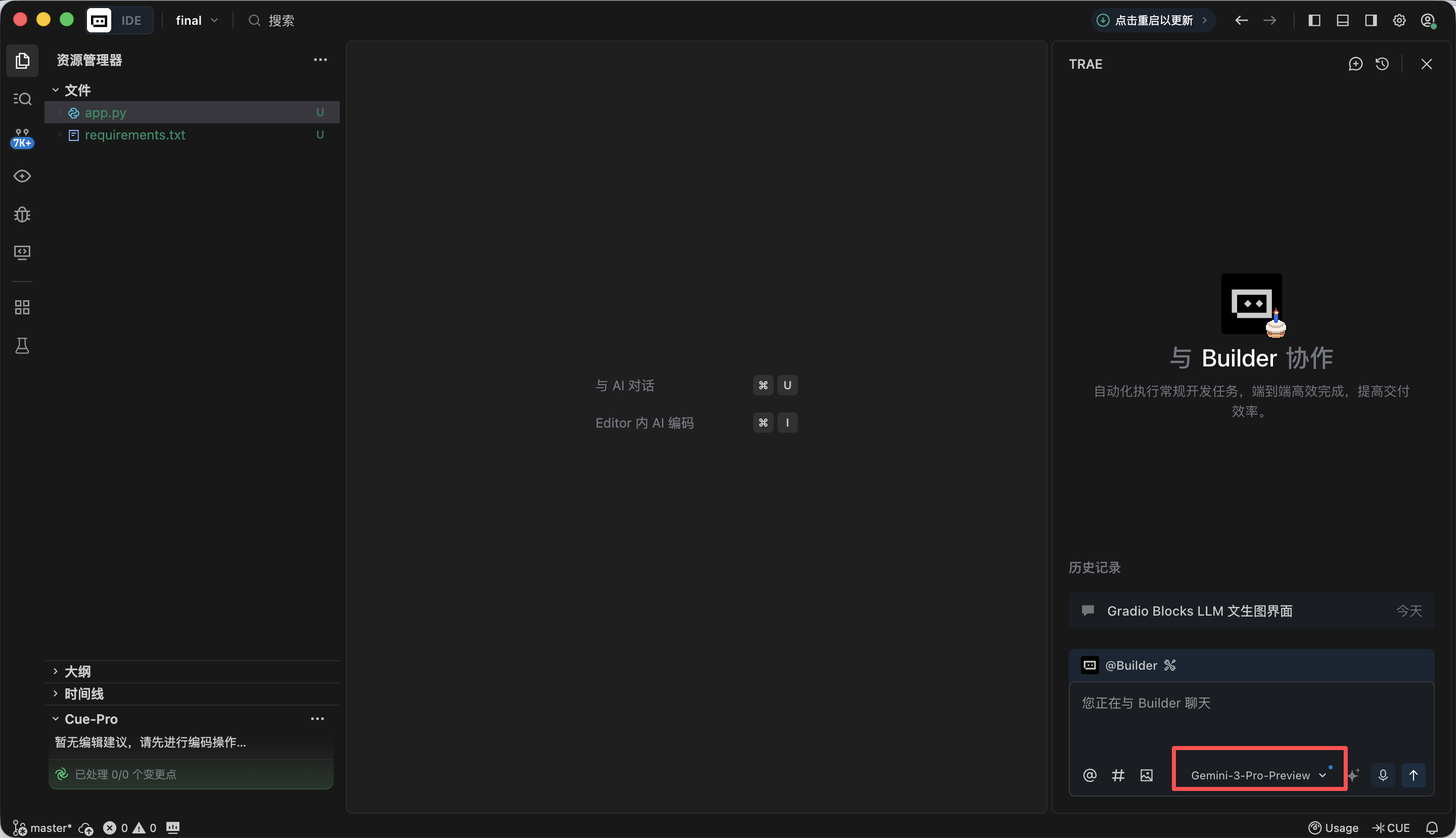
In this phase, our main goal is to first build an "appearance" for the entire Agent, implementing the frontend page design. Copy the following Prompt into the Trae dialog box to implement it, and you'll get a local URL (usually http://127.0.0.1:7860) where you can view the interface and verify the implementation.
Module 1: Gradio Blocks Basic Framework and Interface Layout
1. Task Objective
Based on Gradio 4.0.0+ Blocks layout, implement the basic interface for the "LLM + Nanobanana text-to-image" project, strictly following the fixed left-right split layout, initializing all UI components and setting correct initial states.

2. Tech Stack Requirements
Must use Gradio 4.0.0+ Blocks mode development, Interface mode is prohibited;
Dependencies: gradio>=4.0.0, pillow>=10.0.0 (import only, image processing logic not implemented yet);
Code must be a complete runnable Python file with all necessary import statements.

3. Interface Layout Rules (Core Constraints, Integrating Practical Details)
Overall Layout:
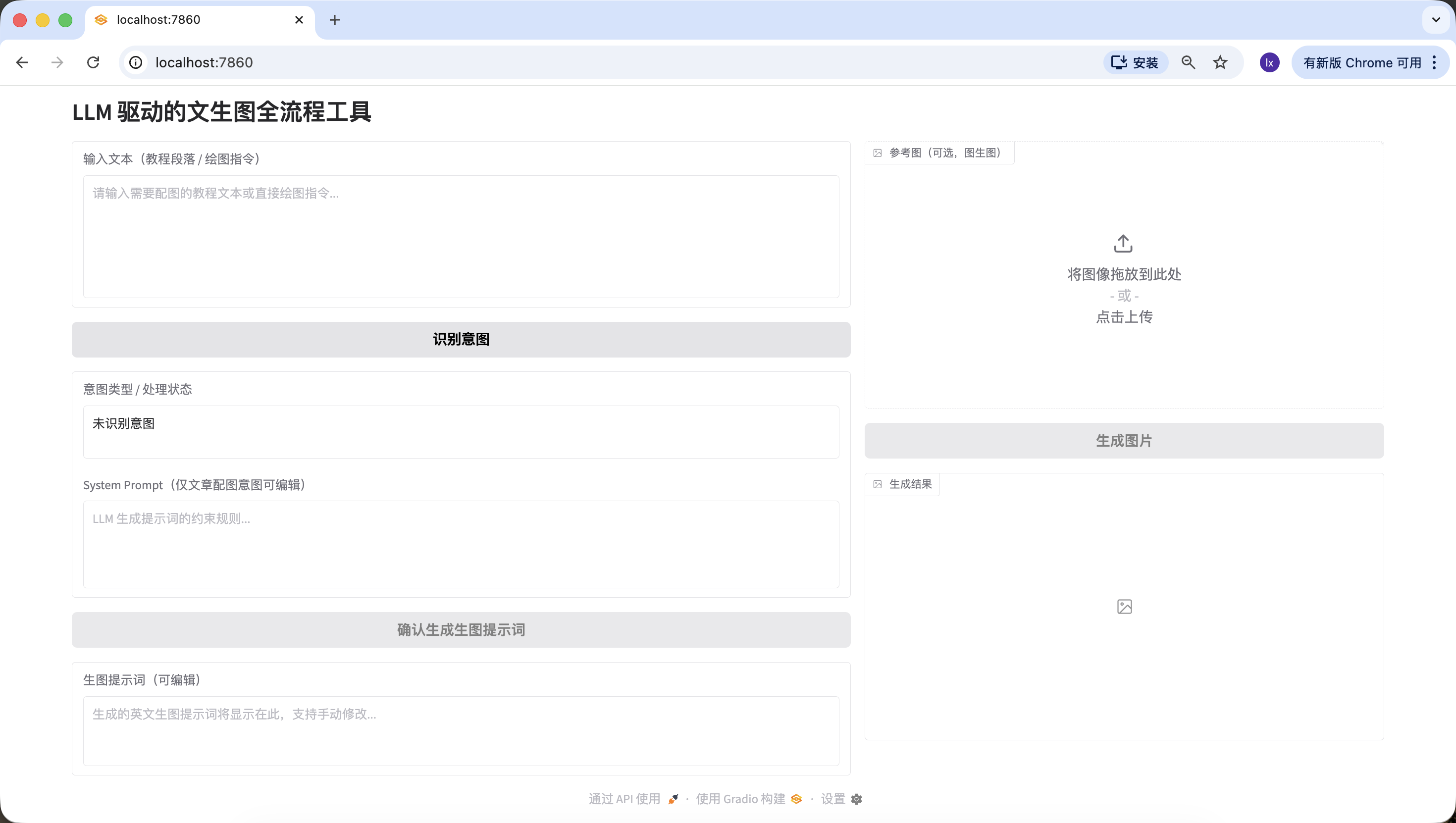
Page title: LLM-Driven Text-to-Image Full-Process Tool;
Fixed left-right split: left side takes 60% width, right side takes 40% width, using gr.Row and gr.Column to implement ratio control.
Left 60% (Prompt Generation Process Area) Component List:
input_text: gr.Textbox, label "Input Text (Tutorial Paragraph / Drawing Instruction)", lines=6, placeholder "Please enter the tutorial text that needs illustration or a direct drawing instruction...";
identify_intent_btn: gr.Button, value="Identify Intent", initial state normally clickable;
intent_status: gr.Textbox, label "Intent Type / Processing Status", lines=2, interactive=False, initial value "Intent not identified";
system_prompt: gr.Textbox, label "System Prompt (Editable only for article illustration intent)", lines=4, interactive=False, placeholder "LLM constraint rules for prompt generation...";
confirm_prompt_btn: gr.Button, value="Confirm Generate Image Prompt", interactive=False (initially disabled to prevent accidental clicks);
generation_prompt: gr.Textbox, label "Image Generation Prompt (Editable)", lines=3, interactive=True, initial value empty, placeholder "Generated English image prompt will be displayed here, supports manual editing...".
Right 40% (Nanobanana Image Generation Function Area) Component List:
ref_image: gr.Image, label "Reference Image (Optional, for Image-to-Image)", type=filepath, height=300, allows upload;
generate_btn: gr.Button, value="Generate Image", interactive=False (initially disabled, cannot click without a prompt);
result_image: gr.Image, label="Generation Result", type=pil, height=300, initial empty, interactive=False.

4. Interaction Logic Requirements
All component interactive initial states strictly follow the above configuration, dynamically updated by functions later;
Button disabled states should be visually apparent (grayed out) to prevent user misoperation.

5. Output Requirements
Generate complete Python code that only implements interface layout and component initialization, without any business logic;
Clear code comments, component naming consistent with the practical version (input_text/identify_intent_btn, etc.);
Code is directly runnable, interface structure matches the description exactly.
After opening http://127.0.0.1:7860 in your browser, you can see that Trae has generated the following webpage according to our requirements, which is roughly consistent with our requirements, and you can proceed to the next step of generation.
In daily use of VLM for drawing, there are typically three common input scenarios:
Same as before, copy the following Prompt into the Trae dialog box to implement it, and fill in the API obtained from previous steps.
Module 2: LLM Intent Recognition Module (Siliconflow API)
1. Task Objective
Based on the implemented Gradio interface, add click logic for the "Identify Intent" button, call the Siliconflow API to complete intent recognition, and link component states.

2. Tech Stack Requirements
Based on Gradio 4.0.0+ Blocks;
Dependencies: requests>=2.31.0, openai;
Output complete runnable Python file, including Module 1 interface + this module's logic.

3. Core Business Rules (Absolutely Must Not Deviate)
Intent Classification Rules (Only 3 categories, strictly return number + description)
1 = Meaningless content: only small talk, greetings, irrelevant conversation, no drawing or illustration needs (e.g., "hello" "did you eat");
2 = Article / Long text illustration need: user inputs a complete article, tutorial, paragraph, explanatory text, content is narrative / explanatory / instructional, implicitly implying the need to generate an illustration for this content, user doesn't need to explicitly say "illustrate this text";
3 = Direct drawing instruction: user inputs a short, clear drawing command, no long text background, directly requesting to draw something specific (e.g., "draw an Apple-style cat").
LLM Call Constraints (Integrating Practical Template)
Interface address: https://api.siliconflow.cn/v1/chat/completions;
Model: Qwen/Qwen2.5-7B-Instruct;
temperature=0.1;
Unified code definition:
python
Run
LLM_BASE_URL = "https://api.siliconflow.cn/v1"
LLM_API_KEY = ""  # User replaces themselves
LLM_MODEL = "Qwen/Qwen2.5-7B-Instruct"# Practical verified intent recognition template (hardcoded in code)
INTENT_PROMPT_TEMPLATE = """You need to identify the intent of the user's input text, only return one of the following 3 categories (format: number + description):
1 = Meaningless content; 2 = Article / Long text illustration need; 3 = Direct drawing instruction.

User input: {user_input}

Recognition result:
Only extract the number and description from the result, no additional content allowed."""

4. Component Linking Rules
Result is 1: intent_status displays "1 = Meaningless content: no drawing need", system_prompt remains disabled, confirm_prompt_btn disabled;
Result is 2: intent_status displays "2 = Article / Long text illustration need: generate illustration for input content", enable system_prompt and fill default rules, activate confirm_prompt_btn;
Result is 3: intent_status displays "3 = Direct drawing instruction: generate image based on instruction", system_prompt disabled and filled with default rules, activate confirm_prompt_btn.

5. Exception Handling
API exceptions, parsing exceptions all give friendly prompts, no crashes, components restore to initial state.

6. Output Requirements
Generate complete runnable code, just replace LLM_API_KEY to use, logic clear with complete comments, intent recognition template strictly uses the practical version.
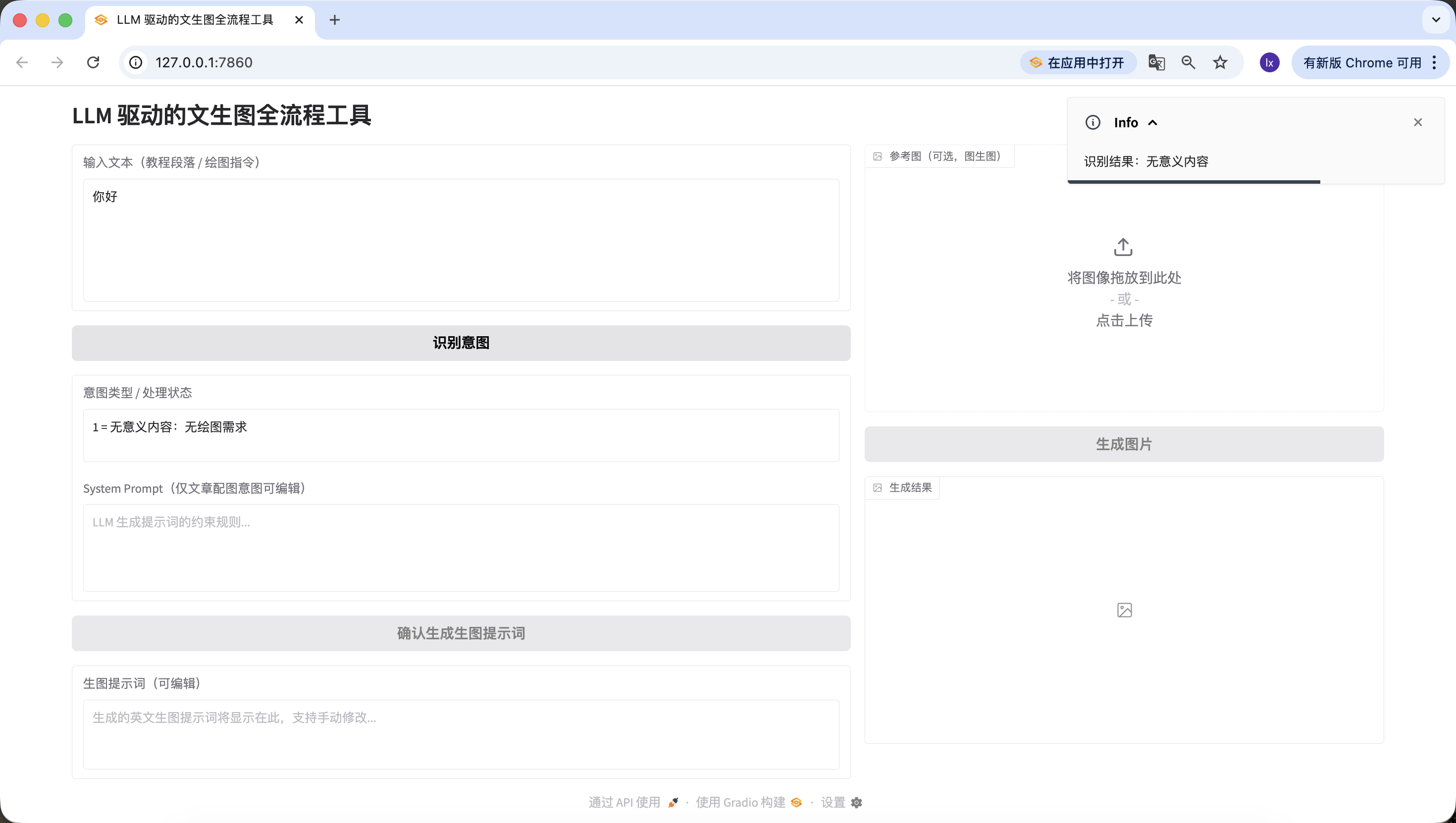
Refresh the previous http://127.0.0.1:7860 URL and start testing whether it can correctly detect the three scenarios.
Artificial intelligence is reshaping the education ecosystem with unprecedented depth and breadth. Through adaptive learning algorithms, AI systems can build cognitive maps for each student, track their knowledge mastery trajectory in real-time, and dynamically adjust the difficulty and presentation of teaching content. In traditional classroom environments, teachers often struggle to simultaneously meet the needs of students with different learning styles and ability levels, while deep learning-based education platforms can analyze students' behavioral patterns in interactive simulation experiments, identify their subtle obstacles in understanding complex concepts like quantum mechanics or calculus, and provide precise cognitive scaffolding.

Advanced natural language processing engine-driven virtual tutors can not only deconstruct open-ended questions like "How to evaluate the impact of the French Revolution on modern democratic systems," but also guide Socratic dialogue to stimulate critical thinking. When students write essays about the impact of climate change on polar ecosystems, AI writing assistants can analyze the rigor of their argumentation logic, point out timeliness issues in data citations, and suggest more precise scientific terminology. In special education, computer vision technology enables AI to recognize non-verbal cues from children on the autism spectrum during social interactions and adjust intervention strategies, while affective computing algorithms help detect frustration during online learning and provide timely encouraging feedback.

However, this technological integration raises a series of ethical dilemmas. Algorithmic bias may inadvertently marginalize students from certain cultural backgrounds, transparency issues in data collection raise concerns about academic privacy, and over-reliance on automated grading systems may weaken teachers' deep understanding of students' thinking processes. More complexly, when AI begins generating highly realistic virtual laboratory experiences, we need to redefine the value of "practical experience" in education. The future education paradigm may evolve into human teachers focusing on cultivating creativity, empathy, and moral judgment, while AI systems assume the functions of knowledge transmission, skill training, and personalized assessment, forming a co-evolving educational symbiosis that both leverages machine computational advantages and preserves the unique warmth of human education.
Also successfully detected~
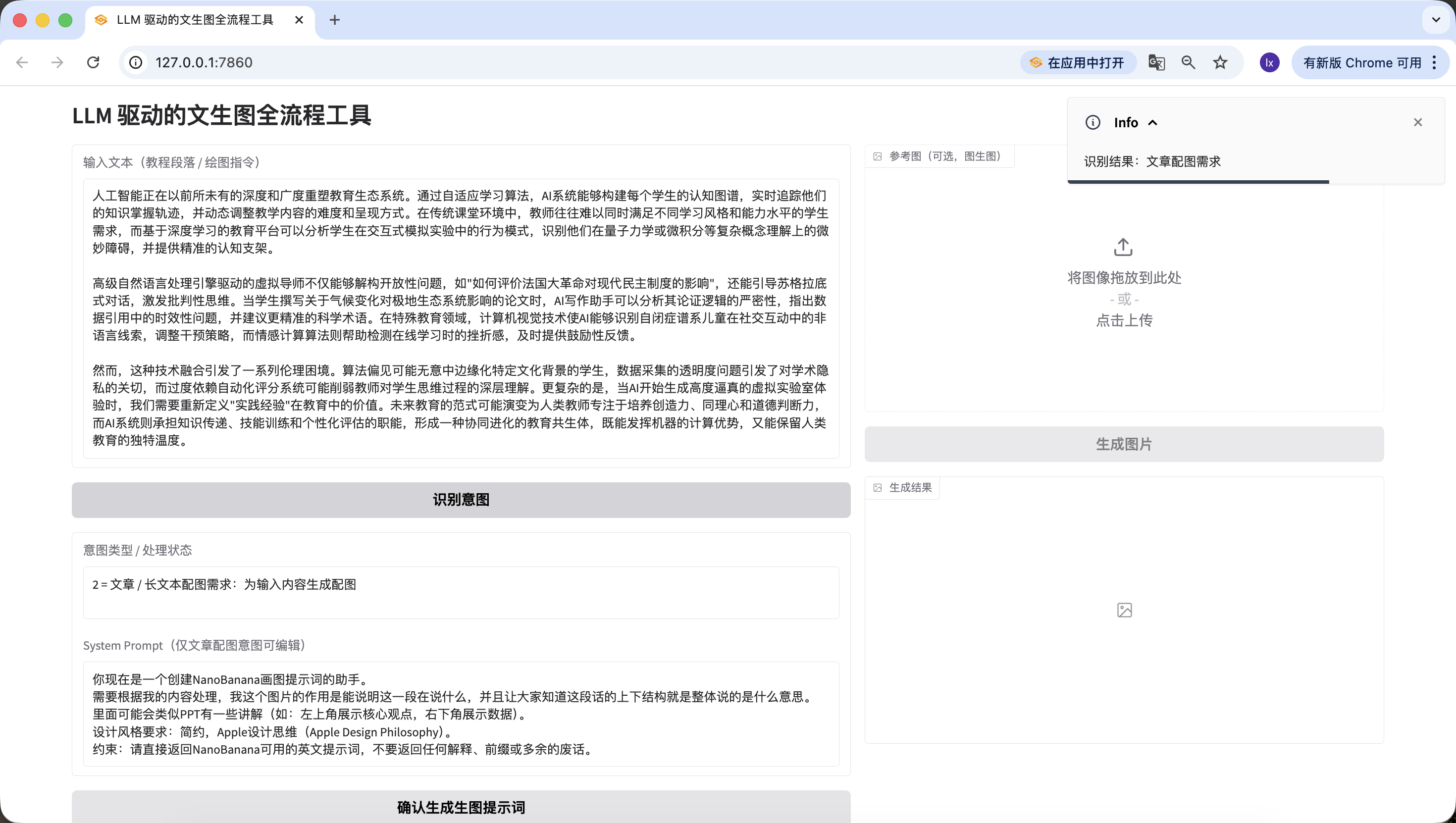
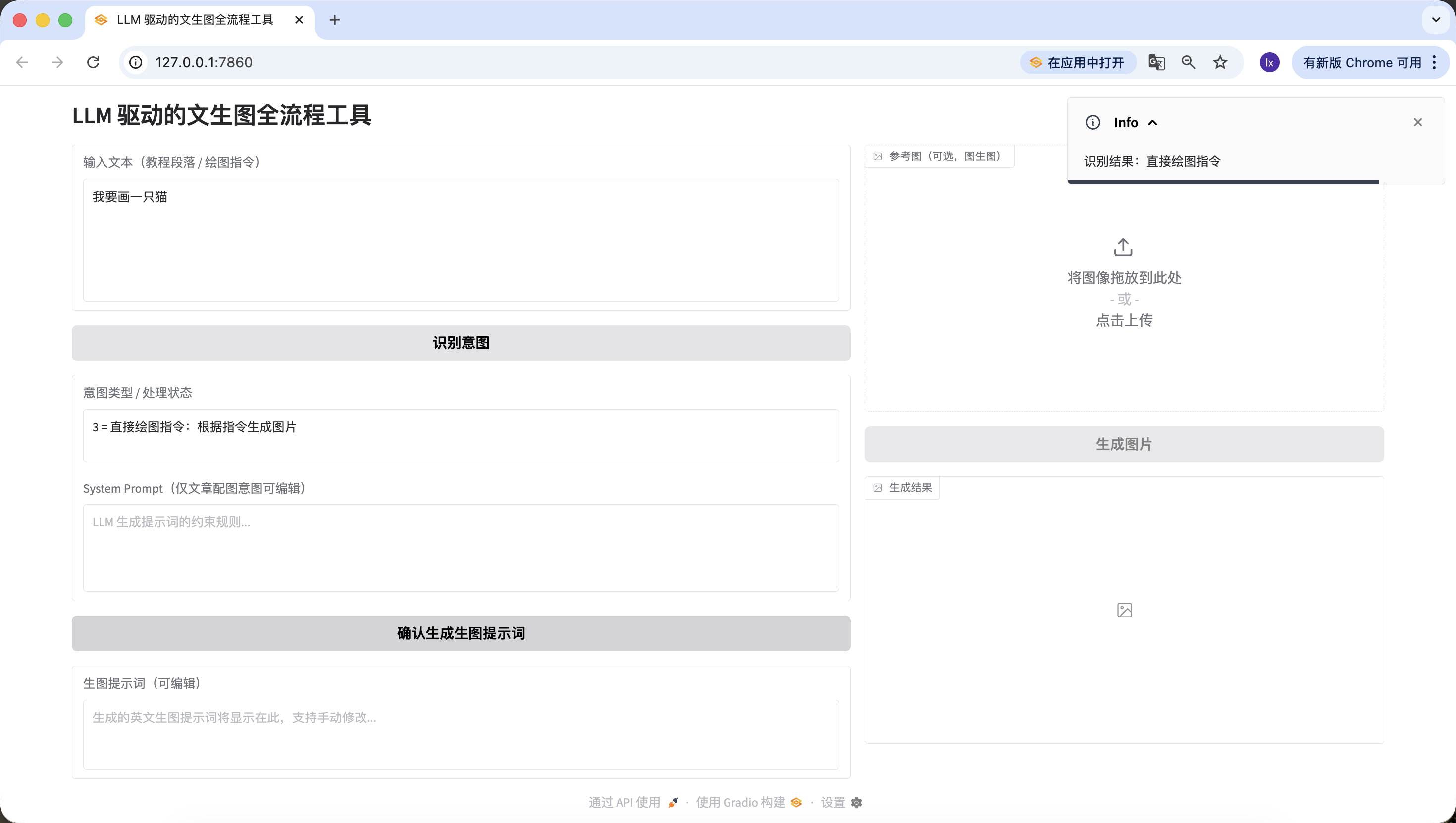
At this point, we have successfully implemented the second phase — intent recognition.
After intent recognition, for articles or long text, there's still a very important step — generating drawing prompts, and this is the key focus of this Agent.
Module 3: Image Prompt Generation Module (LLM Second Call)
1. Task Objective
Based on intent recognition, implement the "Confirm Generate Image Prompt" button logic, call LLM to optimize text into English visual prompts suitable for drawing, fill into the edit box and link the "Generate Image" button.

2. Tech Stack Requirements
Same as Module 2, output complete code = Module 1 + Module 2 + this module;
Share the LLM_BASE_URL, LLM_API_KEY, LLM_MODEL defined in Module 2, no new keys needed.

3. Core Business Rules (Integrating Practical Prompt Assembly Logic)
Prompt Generation Input Rules (Must Strictly Follow)
Image prompt generation is no longer simple string concatenation, but building a standard Chat message list, code structure as follows:
python
Run
messages=[# System role: the final confirmed/edited system_prompt content from the web page{"role": "system", "content": final_system_prompt},# User role: carries data to be processed, clarifies task objective{"role": "user", "content": f"Please generate visual prompts for the following content:\n\n{user_input}"}]
When intent is 2: System content takes the user-edited system_prompt final version;
When intent is 3: System content takes the default rules filled in disabled state
user_input is the original text the user initially entered in the input_text box.
Practical Verified System Prompt Preset (Hardcoded in Code)
python
Run
SYSTEM_PROMPT_DEFAULT = """You are now an assistant for creating NanoBanana drawing prompts.
You need to process based on my content. The purpose of this image is to illustrate what this passage is saying, and let everyone understand the overall structure of this text.
It may include some PPT-like annotations (e.g., top left shows core viewpoint, bottom right shows data).
Design style requirements: minimalist, Apple Design Philosophy.
Constraint: Please directly return English prompts usable by NanoBanana, do not return any explanations, prefixes, or unnecessary words."""
LLM Call Constraints
Share the same LLM_BASE_URL, LLM_API_KEY, LLM_MODEL with Module 2;
temperature=0.7 (ensure prompt creativity and adaptability);
max_tokens=200 (limit output length, matching prompt constraints);
Strictly use the above standard Chat message list structure, string concatenation is prohibited.
Example Input/Output (Core Reference)
Example Input 1 (Article Illustration Intent): Original text: "How AI is changing education: With the development of AI technology, the role of teachers has shifted from knowledge transmitters to guides, AI assistants can help students complete personalized learning, and human-machine collaboration in classrooms has become the norm." Final System Prompt: SYSTEM_PROMPT_DEFAULT (unmodified) Expected output: "Minimalist illustration, Apple Design Philosophy, 1024x1024. Top left shows 'AI + Education' core concept, bottom right shows data of teacher-student-AI collaboration, soft color palette, clean lines, no redundant elements."
Example Input 2 (Direct Drawing Instruction): Original text: "Draw an Apple-style cat sitting next to a MacBook" Final System Prompt: SYSTEM_PROMPT_DEFAULT (disabled state) Expected output: "Minimalist cat, Apple style, 1024x1024, sitting next to a silver MacBook, clean white background, soft shadows, geometric shapes, no extra details."
Prompt Output Mandatory Constraints
Pure English, no Chinese;
Must include Apple Design Philosophy/Apple style + 1024x1024;
Length 50-200 characters, verified in code;
No additional explanations, prefixes, or unnecessary words, only return the prompt itself.

4. Component Linking Rules
Generation successful: fill prompt into generation_prompt box, activate generate_btn, append "Prompt generated successfully, can edit then generate image" to intent_status;
Generation failed: show specific reason (such as API call failure, length not met), generate_btn remains disabled, generation_prompt box empty;
User manually edits / clears generation_prompt box:
When cleared, automatically disable generate_btn;
When non-empty, keep generate_btn activated.

5. Exception Handling
API call failure: friendly prompt "Prompt generation failed: {specific error message}", no crash;
Prompt validation failure: clearly state reason (such as "Apple style not included" "length only 40 characters"), allow retry;
Response parsing failure: prompt "Unable to parse LLM return result, please retry".

6. Output Requirements
Complete runnable code, just replace LLM_API_KEY to use;
Clear code structure, complete comments, beautiful and concise interface;
Strictly implement standard Chat message list structure, parameters and example logic consistent;
Include prompt length and content validation logic, friendly error messages.
Similarly, test with the text from the second phase.
It's worth noting that the preset System Prompt for generating image prompts here is:
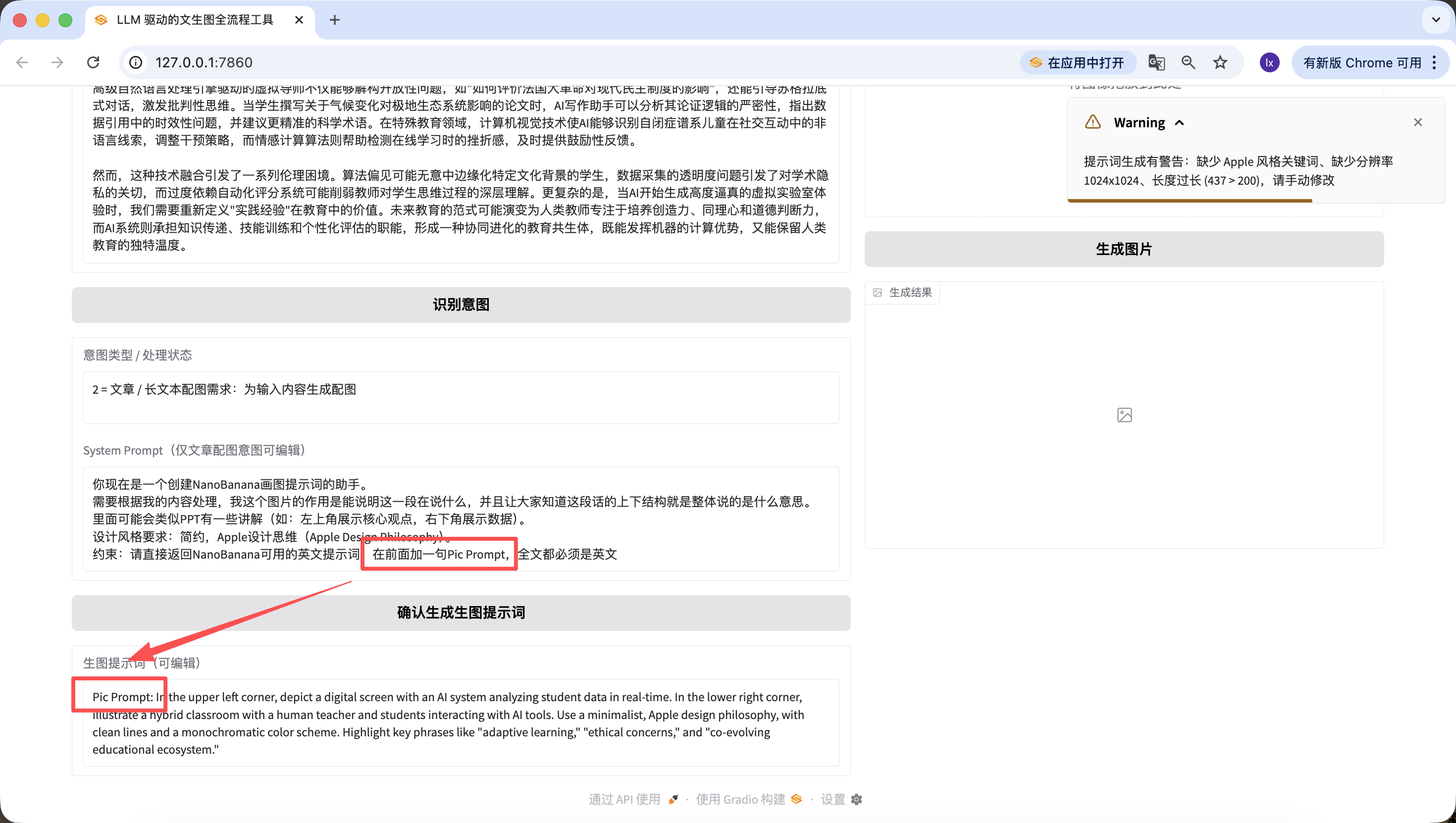
You are now an assistant for creating NanoBanana drawing prompts. You need to process based on my content. The purpose of this image is to illustrate what this passage is saying, and let everyone understand the overall structure of this text. It may include some PPT-like annotations (e.g., top left shows core viewpoint, bottom right shows data). Design style requirements: minimalist, Apple Design Philosophy. Constraint: Please directly return English prompts usable by NanoBanana, do not return any explanations, prefixes, or unnecessary words.
If you want to switch to another preset template, you can modify it in the earlier prompt, or directly modify it through conversation in Trae.
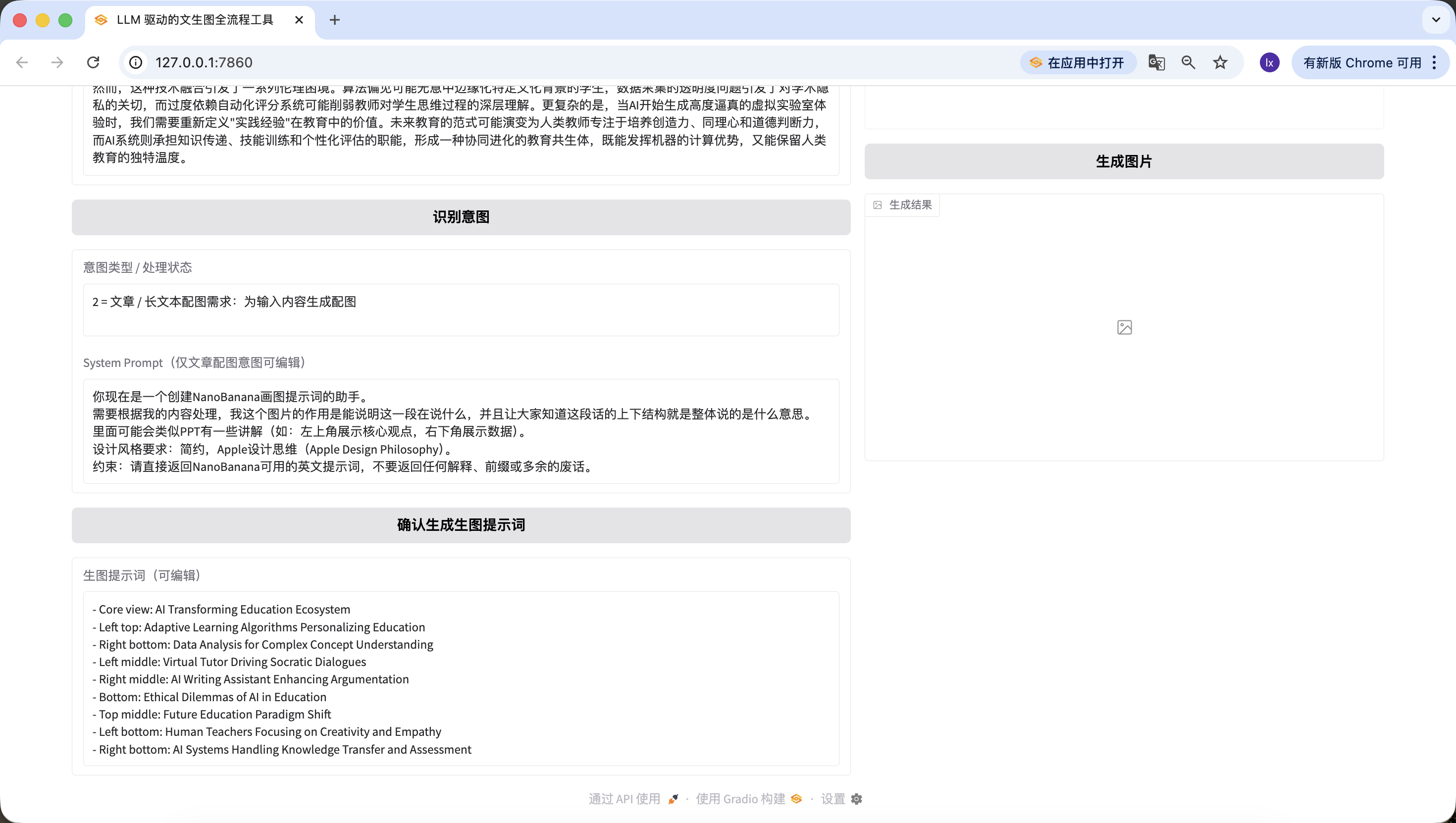
Besides modifying the underlying code, we can also quickly edit on the web page. For example, I added a sentence here, "add 'Pic Prompt' at the beginning," and you can see that the newly generated prompt also includes it at the front. This design is to make it easy to quickly modify the System Prompt for generating prompts, helping us quickly switch styles.
Finally, we've reached the last step — without connecting to an image generation model, it's not a complete Agent!
Module 4: Nanobanana Text-to-Image / Image-to-Image Module (Final Version)
1. Task Objective
Implement the "Generate Image" button logic, call the real Nanobanana API, support text-to-image / image-to-image, parse Base64 and display images.
2. Tech Stack Requirements
Based on Gradio 4.0.0+ Blocks;
Dependencies: requests, pillow, base64, io, re;
Complete code = Module 1+2+3 + this module.
3. Core API Configuration (Practical Verified Hardcoded)
Hardcoded configuration:
python
Run
# Hardcoded API configuration
NANOBANANA_API_URL = "https://api.zyai.online/v1/chat/completions"
NANOBANANA_MODEL = "gemini-2.5-flash-image"
NANOBANANA_API_KEY = "" # User replaces themselves
Authentication: Header Authorization: Bearer {NANOBANANA_API_KEY}.
4. Image Preprocessing Requirements (Must Implement)
Implement function image_to_base64_data_uri (ref_image_path), core logic:
Convert PIL image to PNG format;
Auto-scale to 1024x1024 resolution;
Convert transparent channel to white background;
Encode as Base64, return format: data:image/png;base64,....
5. Request Construction Rules (Strictly Follow Practical Branch Logic)
Core Function Definition
Implement function generate_image (prompt, ref_image_path):
Parameters: prompt (generation_prompt box content), ref_image_path (ref_image uploaded file path);
Returns: PIL Image (displayed in result_image) or error message.
Logic Branch 1: Pure Text-to-Image (ref_image_path is empty)
python
Run
messages = [{"role": "user", "content": prompt}]
Logic Branch 2: Image-to-Image (ref_image_path has value)
python
Run
# First call image preprocessing function
image_base64 = image_to_base64_data_uri(ref_image_path)
messages = [{"role": "user","content": [{"type": "text", "text": prompt},{"type": "image_url", "image_url": {"url": image_base64}}]}]
6. Response Parsing Requirements (Must Be Compatible with Two Formats)
Extract image Base64 from choices[0].message.content, supporting:
Structured JSON returned image_url field;
Markdown format ;
Unified extraction of Base64 encoding, decode then convert to PIL Image return.
7. Component Linking and Exception Handling
Generation successful: display PIL Image in result_image, intent_status prompts "Image generation successful";
Generation / parsing / upload failure: display clear text message in intent_status (such as "Base64 parsing failed" "API call timed out"), no crash.
8. Output Requirements
Complete runnable code, just replace LLM_API_KEY and NANOBANANA_API_KEY to run directly, full process available, branch logic strictly matches practical version.
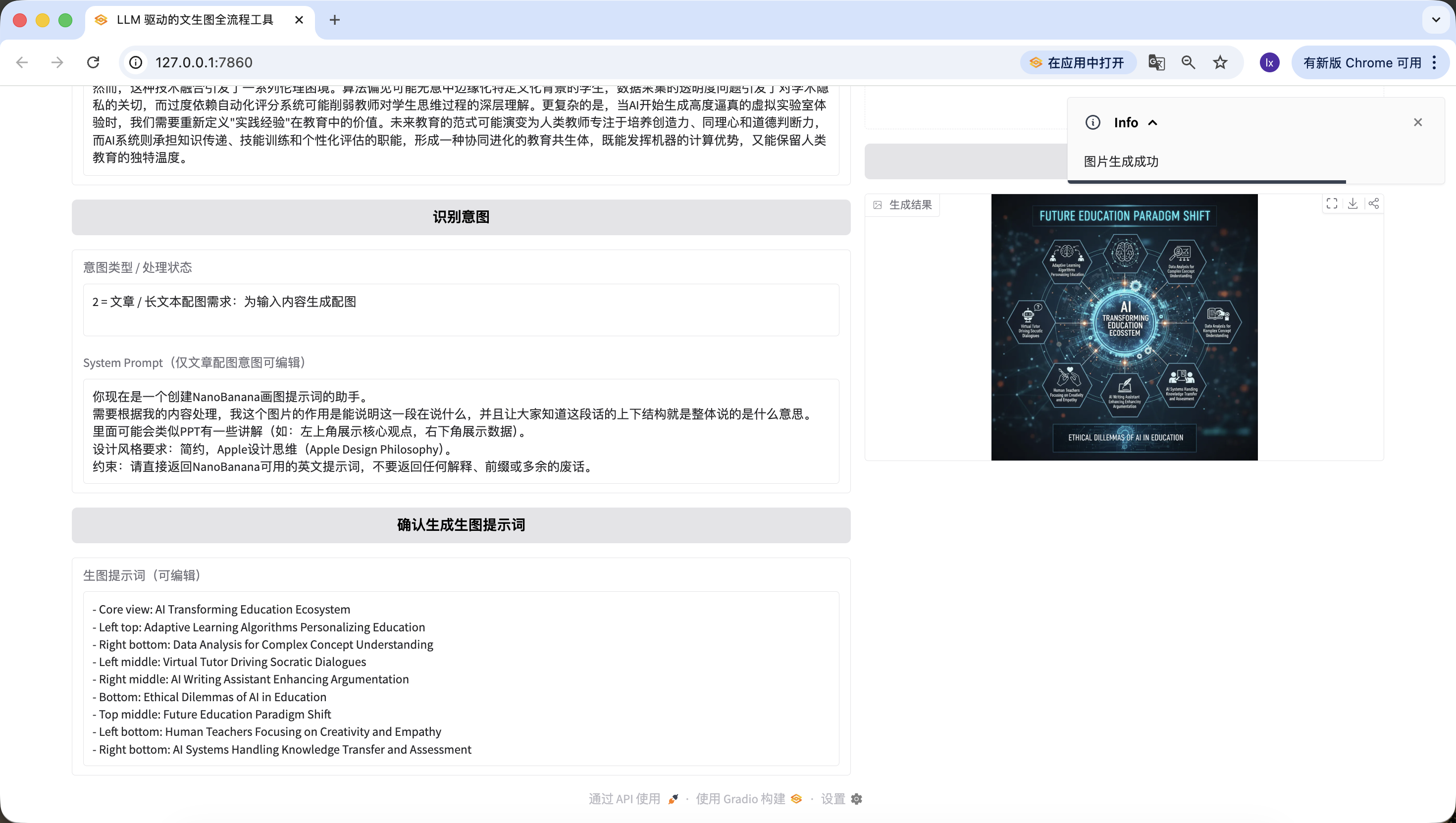
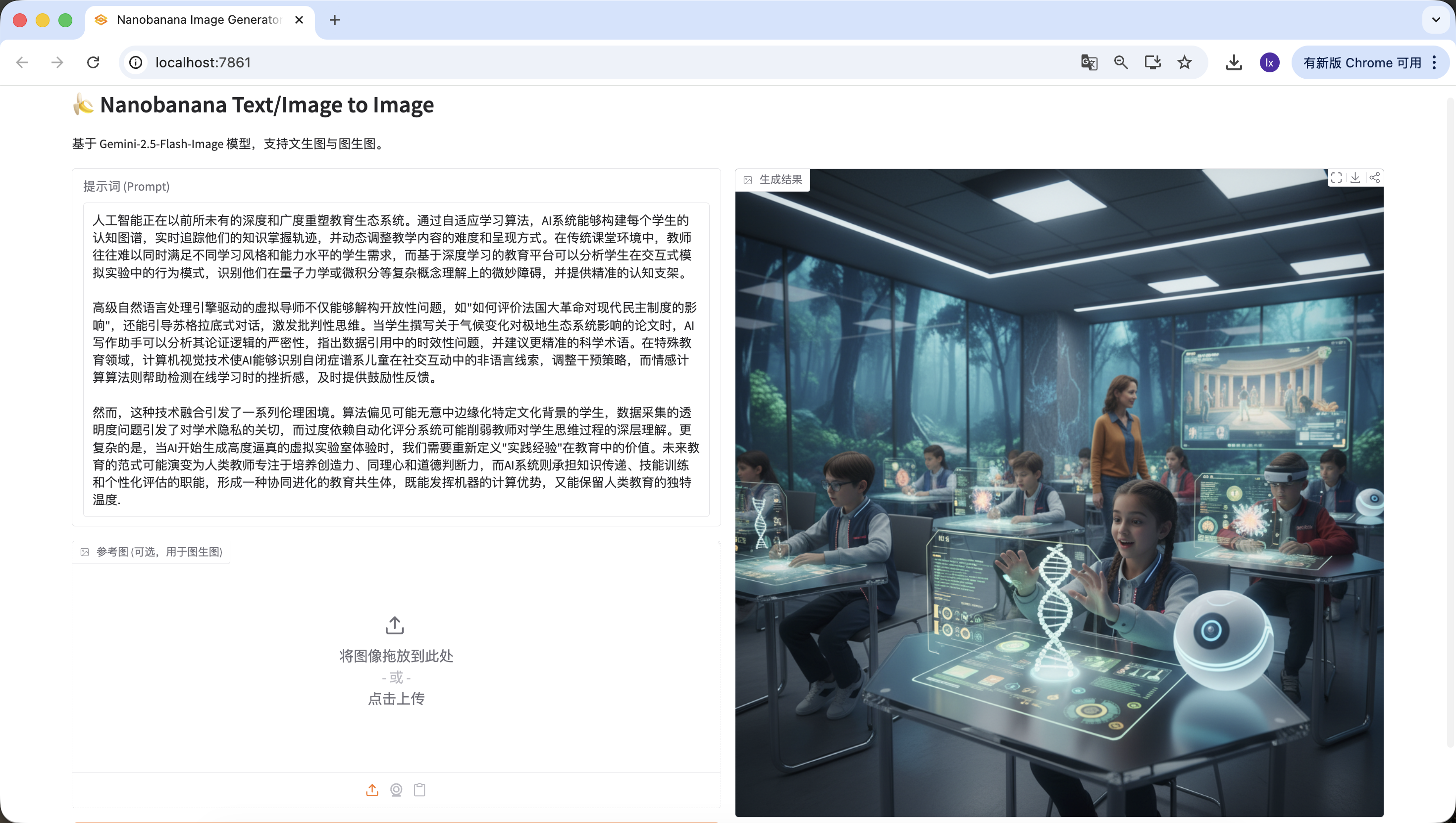
How exciting! We've finally successfully generated the first image from this Agent. Look closely at the generated image — it matches our text and prompts. At this point, you've basically implemented your own Agent!
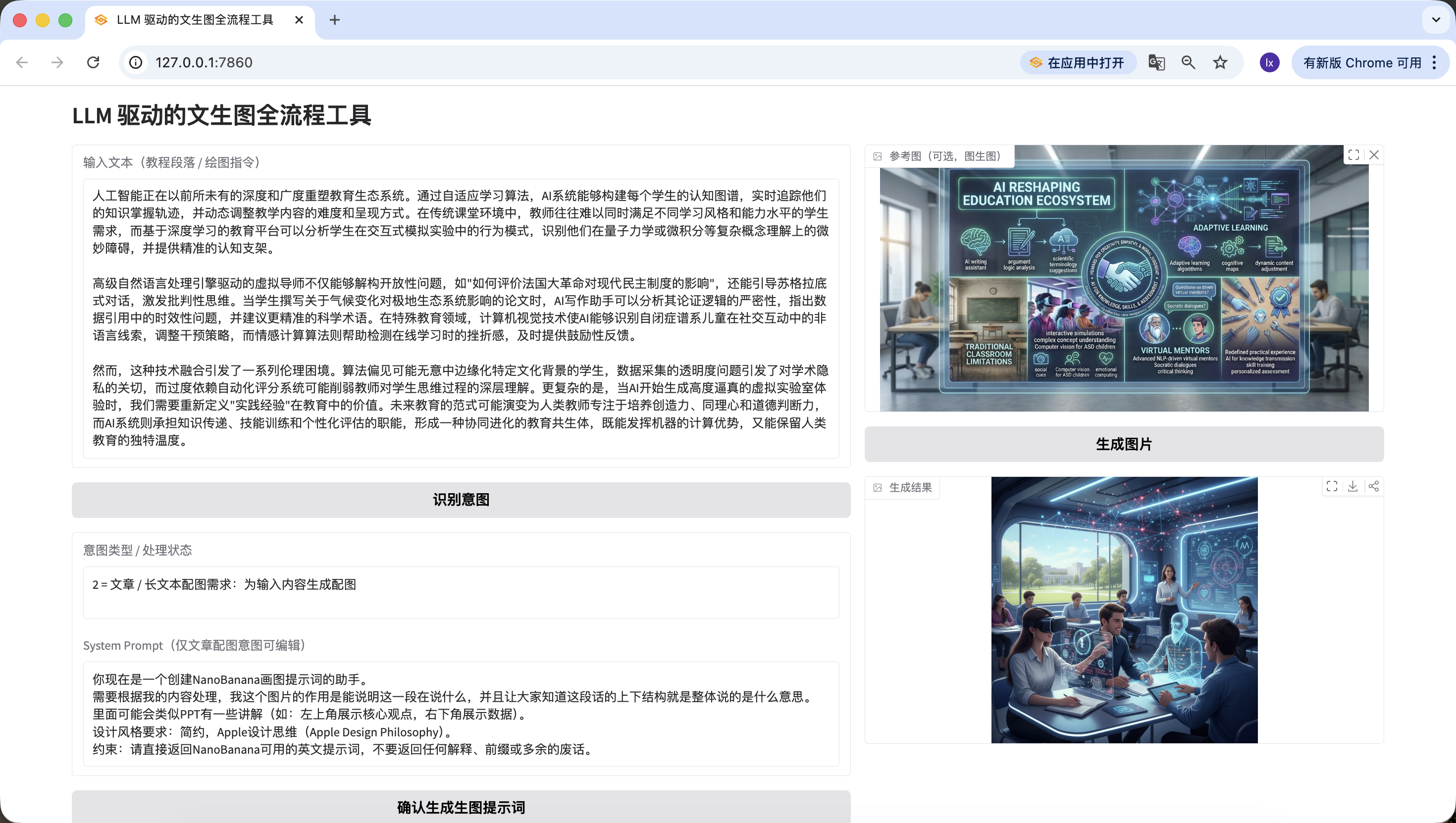
We've also added image-to-image functionality — upload your favorite image, and the AI will automatically reference its style.
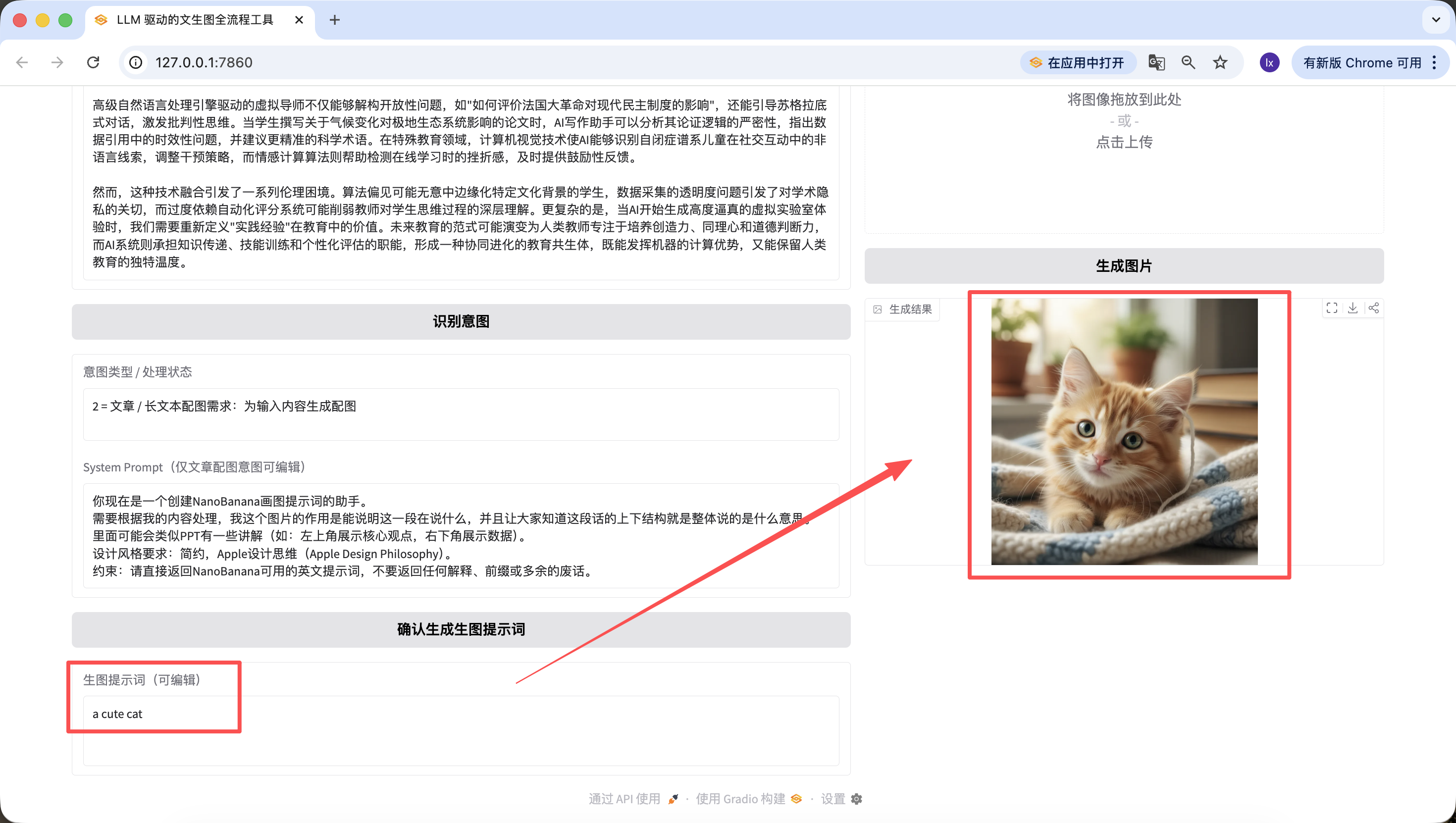
It's worth mentioning that the prompts generated in previous steps can also be edited on the web page, and we use the prompt at the time the button is finally clicked as the final version. Even if I change it to "a cute cat" here, the final generated image will only be a cute kitten.

Woohoo! Finally finished writing.
Honestly, even I couldn't help but breathe a long sigh of relief when I finished the last line, let alone you who have been following along all the way here. Being able to run through this entire process completely is already impressive in itself. It means you really put your hands on the keyboard and got things done step by step. Bravo!
While writing this content, I kept thinking about what we really want to leave you with. The answer is actually not model names, parameters, or some fixed formula — it's about helping you gradually build a sense for: which things can be safely entrusted to AI for understanding and planning, and which places just need you to decide the direction. Once this division of labor is established, many generation processes that originally seemed complex will start to flow naturally.
Looking back, this path is actually not complicated. Figure out the problem you want to solve, hand the long text to the language model for decomposition, then pass the organized visual intent to the drawing model for rendering, and finally package this entire process into your own little assistant. At this point, you're no longer just "using a model" — you're building a system that can work alongside you long-term. And that is exactly what this tutorial most wants to give you.
But you've already done great! I believe that having learned this far, you already have a preliminary grasp of Vibe Coding. Give yourself a little break and rest up!
Related Articles
If you want to truly integrate 'asset generation' into your product workflow, you can continue with these chapters.
Complete Logo, icons and full webpage UI with AI design, mastering prompt engineering and consistency techniques.
Put AI-generated assets into design drafts and build structured expressions from visuals to layouts.
Build a unified design system and component spec, scaling from single pages to multi-product layouts.
Package design systems as Skills so AI can auto-load brand guidelines and beautify pages.
Accurately turn design files into maintainable frontend code and component structures.
Use component libraries to improve engineering efficiency and UI consistency.