This is a project-based learning tutorial. We encourage you to follow the steps one by one and try to reproduce the results.
Don't worry about making mistakes or modifying the content. We always believe you can do it. Please always remember:
Conversational AI Programming · AI-Native Mini-Games · Snake Game Practice
If you don't know how to program at all, or only know the basics, this chapter is for you. We will start from the very beginning: using conversations to have AI write code for you, without needing to memorize syntax or set up environments. It will run right in your browser.
You will personally create your first running program—a Snake game that can "eat words, write poems, and draw". Through this practical exercise, you will experience what AI programming is really like: AI is not replacing your thinking, but rather, you speak your ideas, and AI helps you implement them.
All creation starts from 0 to 1. We are glad to pass each bit of confidence and professionalism to you. For you, execution is all you need.
Approx. 4 hours, can be completed in multiple sessions
AI-Native Snake + Custom Mini-Game
1 playable AI-native Snake game + (Optional) 1 custom AI-native mini-game or Demo of your choice
Dilemmas & Opportunities New possibilities for coding
Capability Exploration 60-second speed development
Native Practice Build an AI-native Snake
Extended Creation Create other games
1. Dilemmas and Opportunities for Ordinary People
Many people have a bunch of product ideas in their heads: a small tool to help manage finances, a webpage to record a child's growth, or even a mini-game. But the thought of having to write code or find a programmer often discourages them directly.
After the emergence of AI, for the first time, ordinary people have a completely new possibility: you don't need to know how to write code, you just need to learn how to clearly tell AI what you want. Data from GitHub Copilot shows that over 15 million developers are using AI-assisted programming, with an average of 46% of code being AI-generated! In Java projects, this proportion can reach 61%.
🚀Leaps in Efficiency and Adoption
55%
Speed Increase
2.4 Days
Task Time (from 9.6)
81%
Day-1 Install Rate
96%
Suggestion Adoption
What is truly exciting is the leap in efficiency: developers' task completion speed increased by 55%. Code that originally took 9.6 days to deliver can now be done in just 2.4 days. This visible improvement shows that AI is no longer just an "optional feature" but is becoming an indispensable assistant in the development workflow. The adoption rate data confirms this: on the day they granted access, 81% of developers installed and started using it immediately; among them, 96% started adopting the AI's code suggestions that same day. In other words, developers almost instantly integrated AI into their daily coding routines.
For ordinary people, this trend is even more significant: if professional programmers are relying heavily on AI to write code, why can't those of us who don't know how to program communicate directly with AI to realize our ideas?
The goal of this course is to help you practice a new skill: building apps through natural language conversations. We will teach you how to communicate with AI using computer language and how to let AI turn the ideas in your head into real, usable products.
Dilemmas & Opportunities New possibilities
Capability Exploration 60-second speed
Native Practice Build AI-native Snake
Extended Creation Create other games
2. To What Extent Can AI Help You?
In this section, we only discuss one question: if you completely don't know how to write code, to what extent can today's AI help you?
Roughly speaking, you can understand current LLM capabilities as: competent in developing simple internal tools, data visualization dashboards, and some lightweight mini-games. These are generally sufficient for making tools for personal use or validating requirements from a product manager's perspective. But to generate a commercially mature product with one click, it still typically requires manual, continuous polishing of process design and details.
Next, let's take Snake as an example and see exactly what AI programming can achieve.
2.1 Build a Snake Game in 60 Seconds
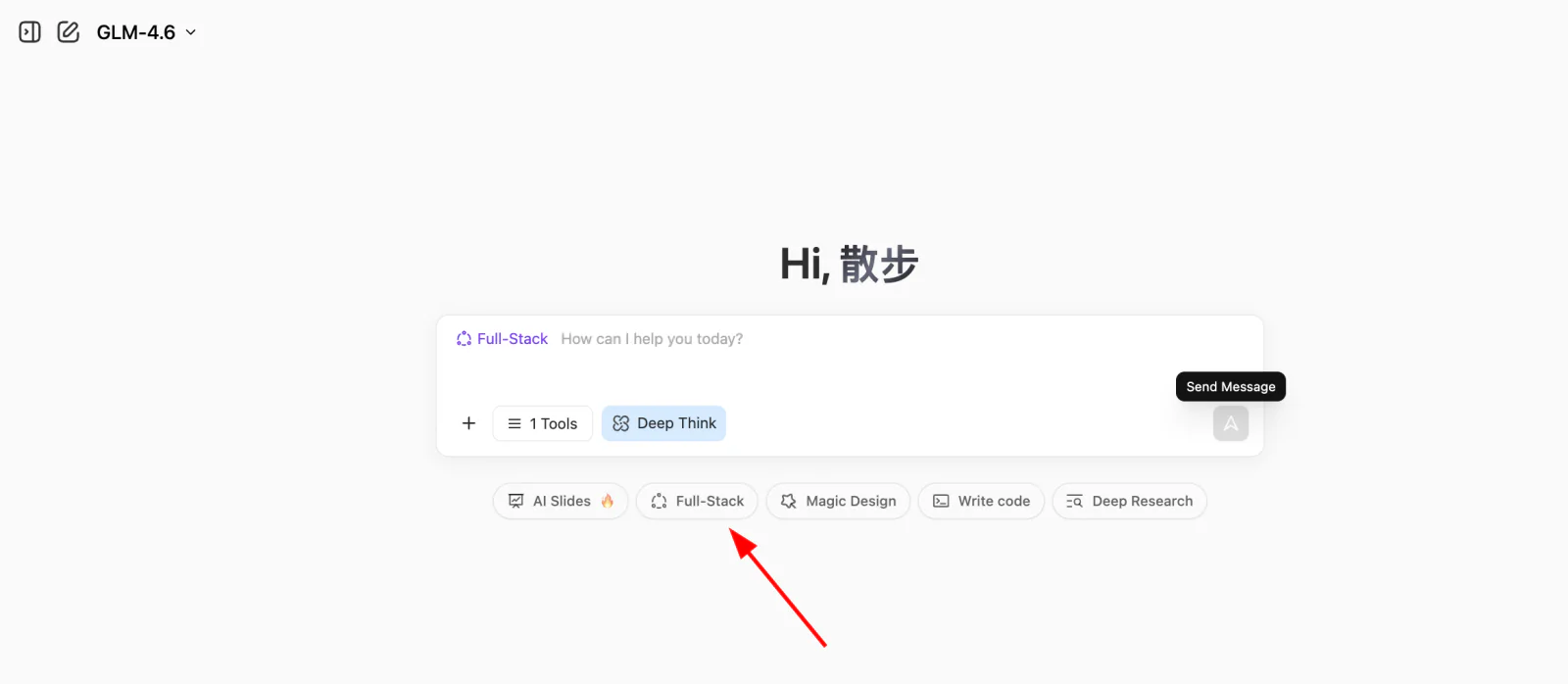
First, please open the experimental site used in the course, z.ai. z.ai is an AI platform developed by Zhipu AI (one of China's leading LLM companies), powered by their proprietary GLM models. This platform includes various features, such as slideshow generation, poster design, and full-stack development. In this tutorial, we will focus on its full-stack development module.
💡 What is the "programming right on the web" paradigm?
Describe your desired features in natural language
Have AI instantly generate the code and let you preview the result live
This "conversation as programming" paradigm changes coding from "writing instructions" to "describing requirements". You don't need to care about low-level technical details; just clearly state what you want. This is the new programming paradigm of the AI era—Vibe Coding.
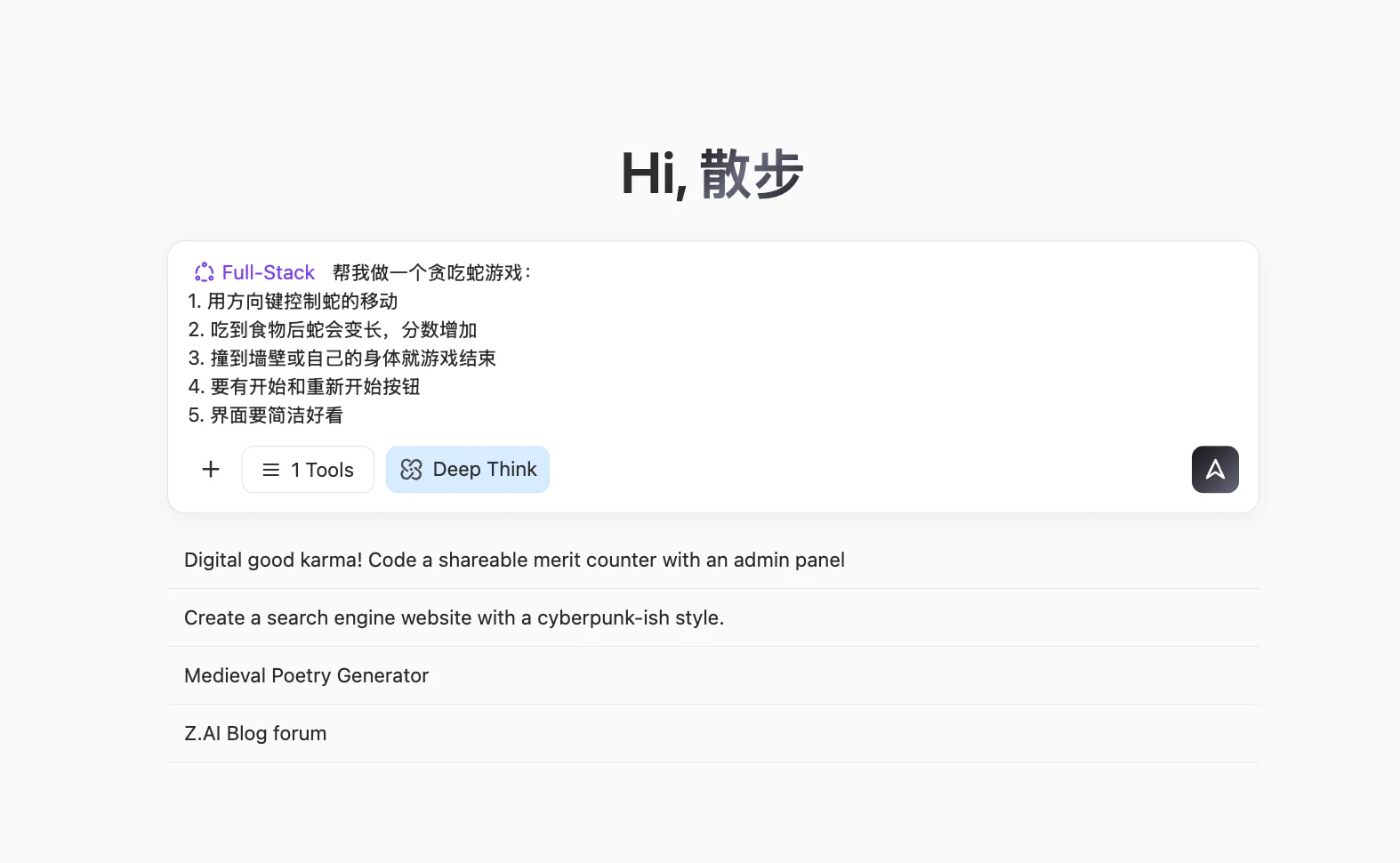
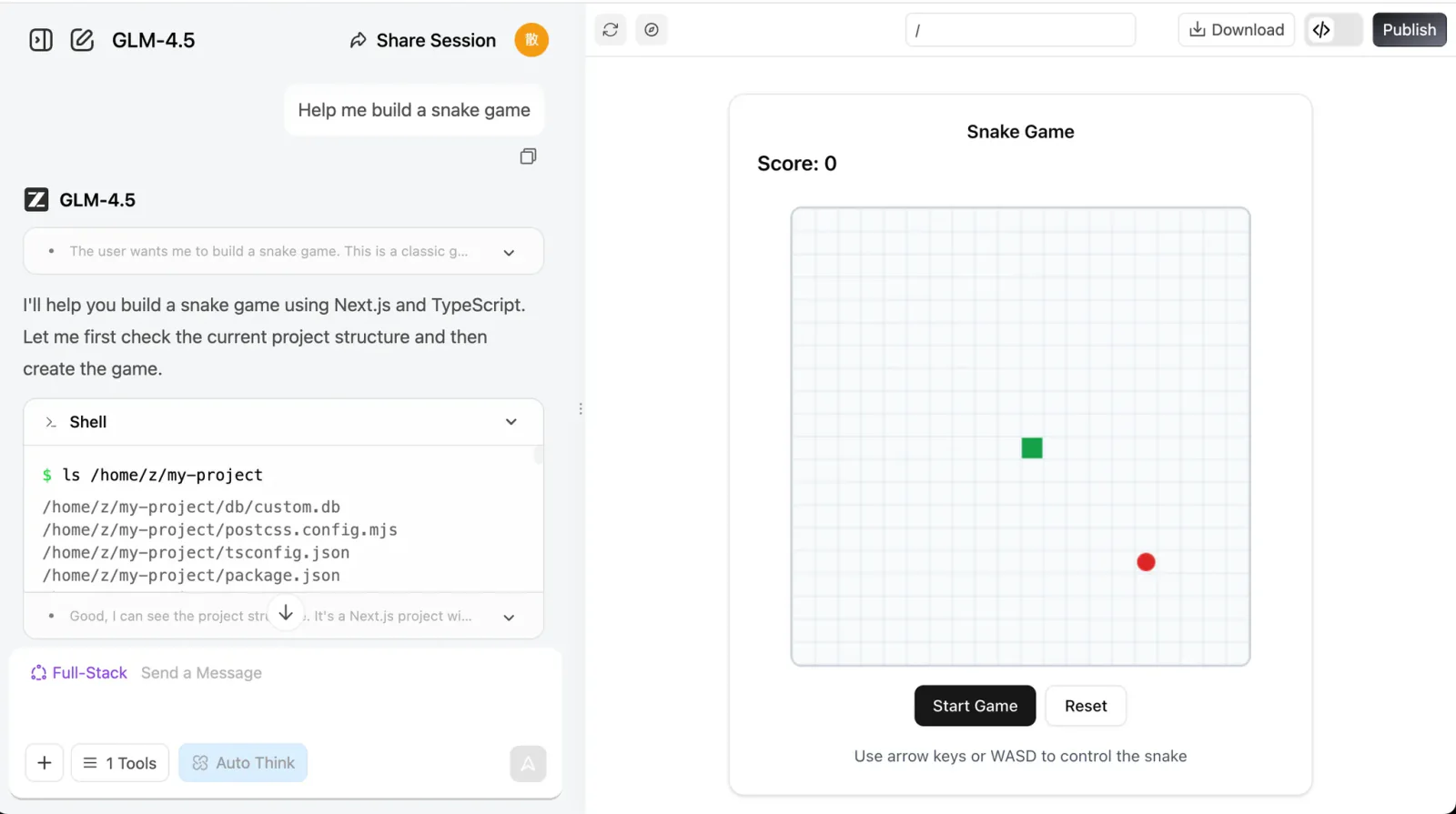
Input our simple requirement and click the Full-stack Development button. You can watch the webpage being built in real time. Usually, it takes just the time to brew a coffee!
Help me create a Snake game:
1. Control snake movement with arrow keys
2. When it eats food, it gets longer and the score increases
3. Hitting walls or itself results in Game Over
4. Include Start and Restart buttons
5. The UI should be clean and elegant
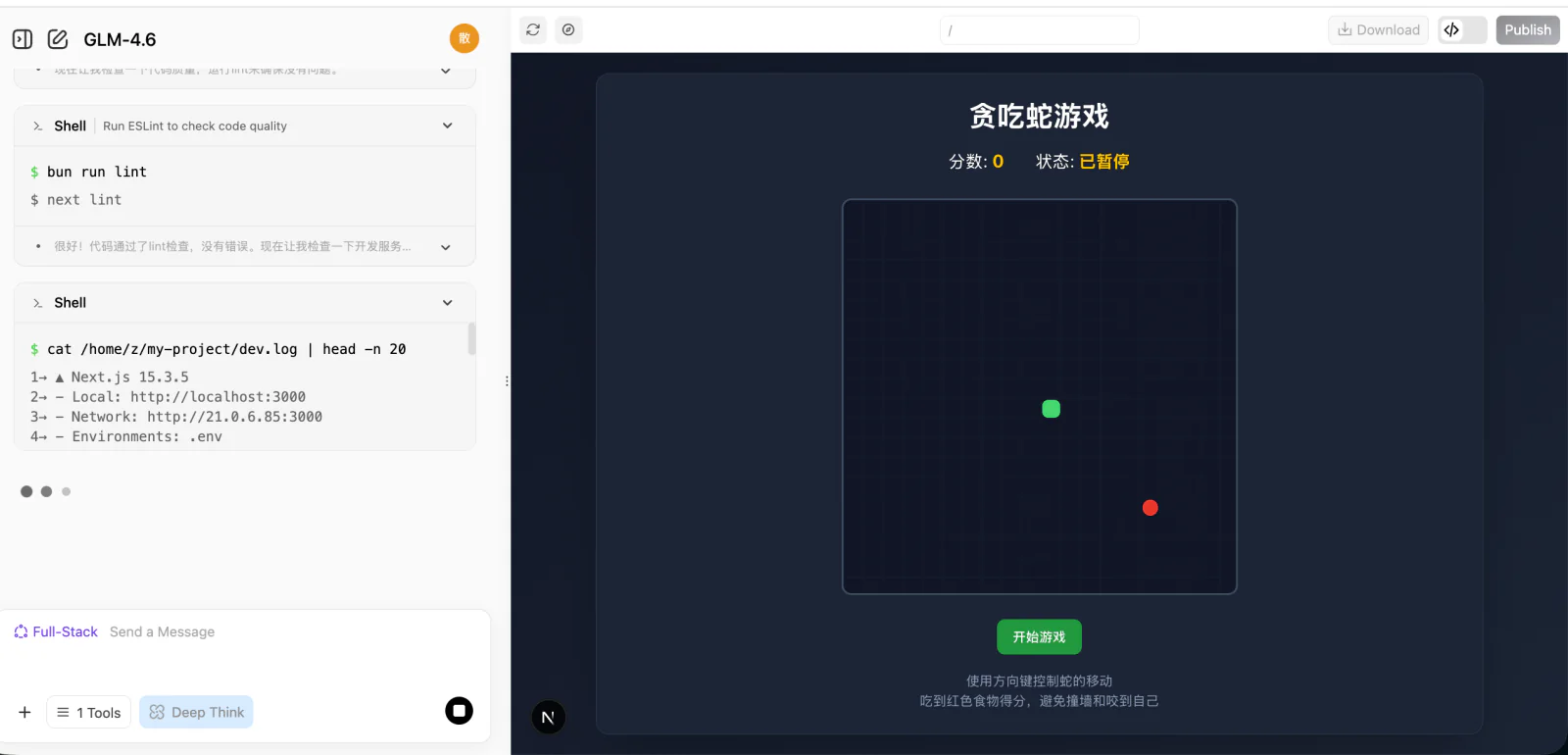
Once generated, you will see a browsable webpage UI on the right. Scroll around or click the 🧭 button at the top to view it in full screen.
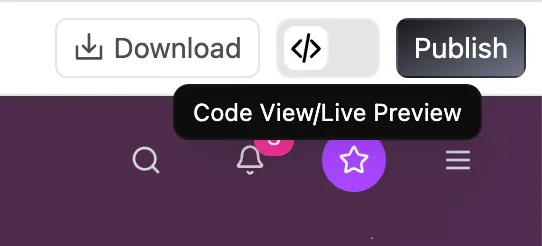
The buttons at the top from left to right are: Arrow button expands chat history, Pencil button to start a new chat, Refresh icon to rebuild the page, Compass icon to toggle fullscreen, Download button to download the project, <> button to view code, and Publish button to publish it.
If you'd like to check the webpage's source code, click the code icon in the top right to view the entire codebase.
🌐 Explore More AI Programming Tools
Besides z.ai, we also recommend trying out these excellent AI programming platforms:
Moonshot AI's AI coding assistant, offering a terminal-based Kimi Code CLI and a VS Code extension, powered by the code-specialized Kimi K2.7 Code model, and compatible with Claude Code, Roo Code, and other tools
2.2 What Conversational Programming Can and Cannot Do
This section focuses on a specific question: When relying exclusively on conversational AI and writing no code at all, how far can you push a project?
In terms of experience, a fairly consistent conclusion is: It can help you complete a "small but complete" thing, but determining "how much is enough" still requires your personal decision on every detailed step.
Excels at "Small and Clear" Apps
From the Snake game example, you already saw a typical pattern:
As long as you can clearly describe the UI and interaction, AI can often piece together a fully functional, clickable webpage in just a few rounds of conversations.
Such tasks often share a few characteristics:
Clear scope: one page, a simple internal tool, a small game mechanic.
Visible results: you immediately see if it works as expected.
Direct debugging: you can point out errors and ask for corrections easily.
Within these boundaries, you can view the AI as a highly capable "junior assistant".
AI's success rate in handling small-scale tasks:
90%
Large Projects Require a "Process Perspective"
Once it exceeds the small and clear scope, relying purely on conversational requests to build complex systems end-to-end will quickly hit ceilings. Large projects deal with backend databases, third-party services, authentication, permissions, edge cases, state management, etc.
In these situations, the logical approach is to define a clear process flowchart and break it into segments to be handled individually.
The Difference Between Generating and Validating
Just because AI wrote it doesn't mean it's ready for a commercial launch! Always validate AI-generated code, especially in secure systems.
⚠️ Usage Guidelines
Prototypes/Tools/Demos: Highly suitable for early stage builds iterations.
Large consumer-facing products: Usually needs developers for architecture.
High-security systems: Not suitable to deploy immediately. Needs stringent checks.
Dilemmas New possibilities
Basic Ability 60-second speed
Native Practice Build AI-native Snake
Extended Create other games
3. Hands-on: Your First AI Native Application
Let's do some hands-on work. We'll add some native AI integration elements into our game.
3.1 AI-Native Snake
You can simply provide these prompts:
💡 Example Prompt: Build me a Snake game.
💡 Example Prompt: Build me a Snake game that supports:
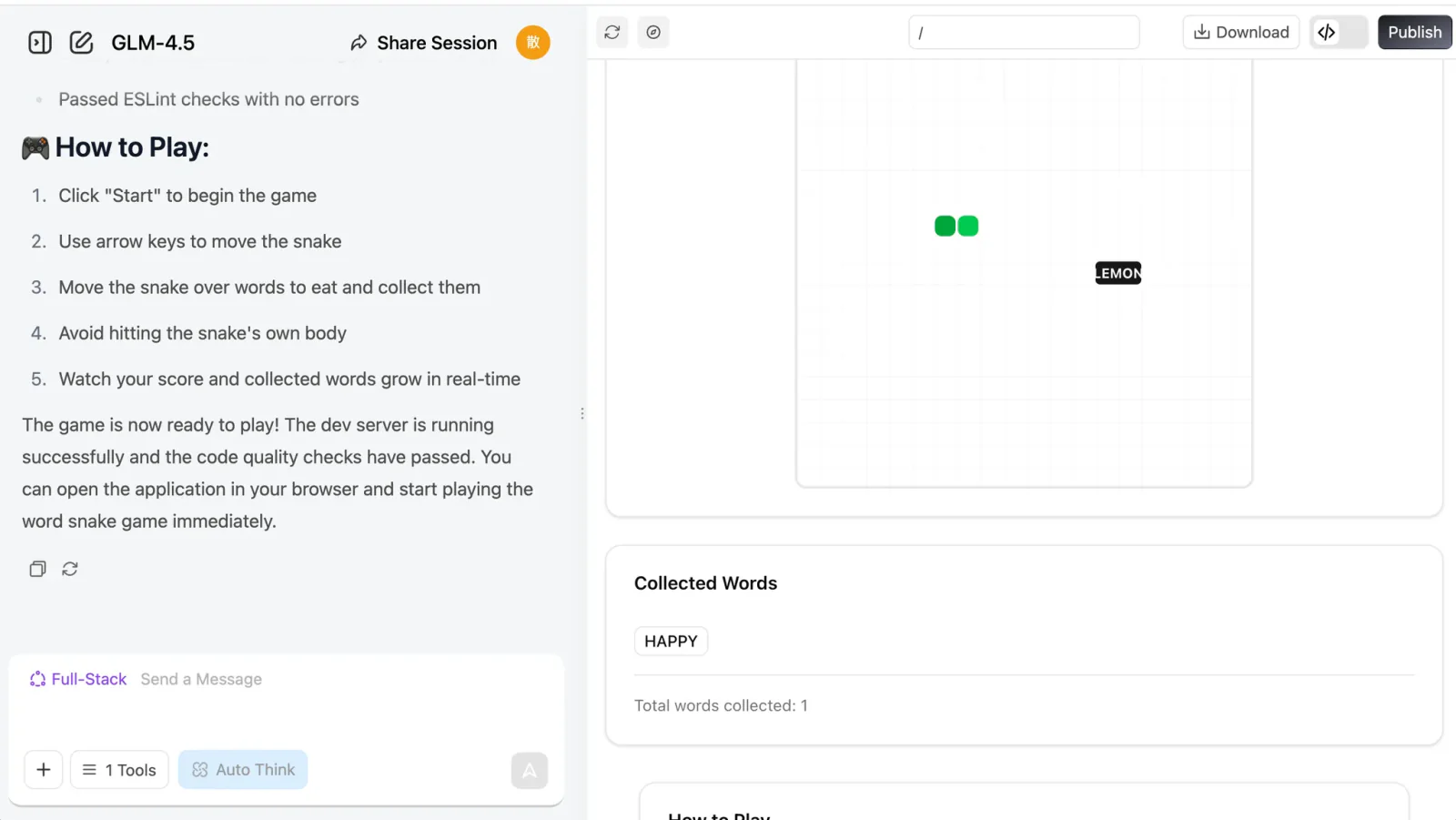
Eating different words and placing them in a collection box.
💡 Example Prompt: Build a Snake game that supports:
I can eat distinct words, collected in a box.
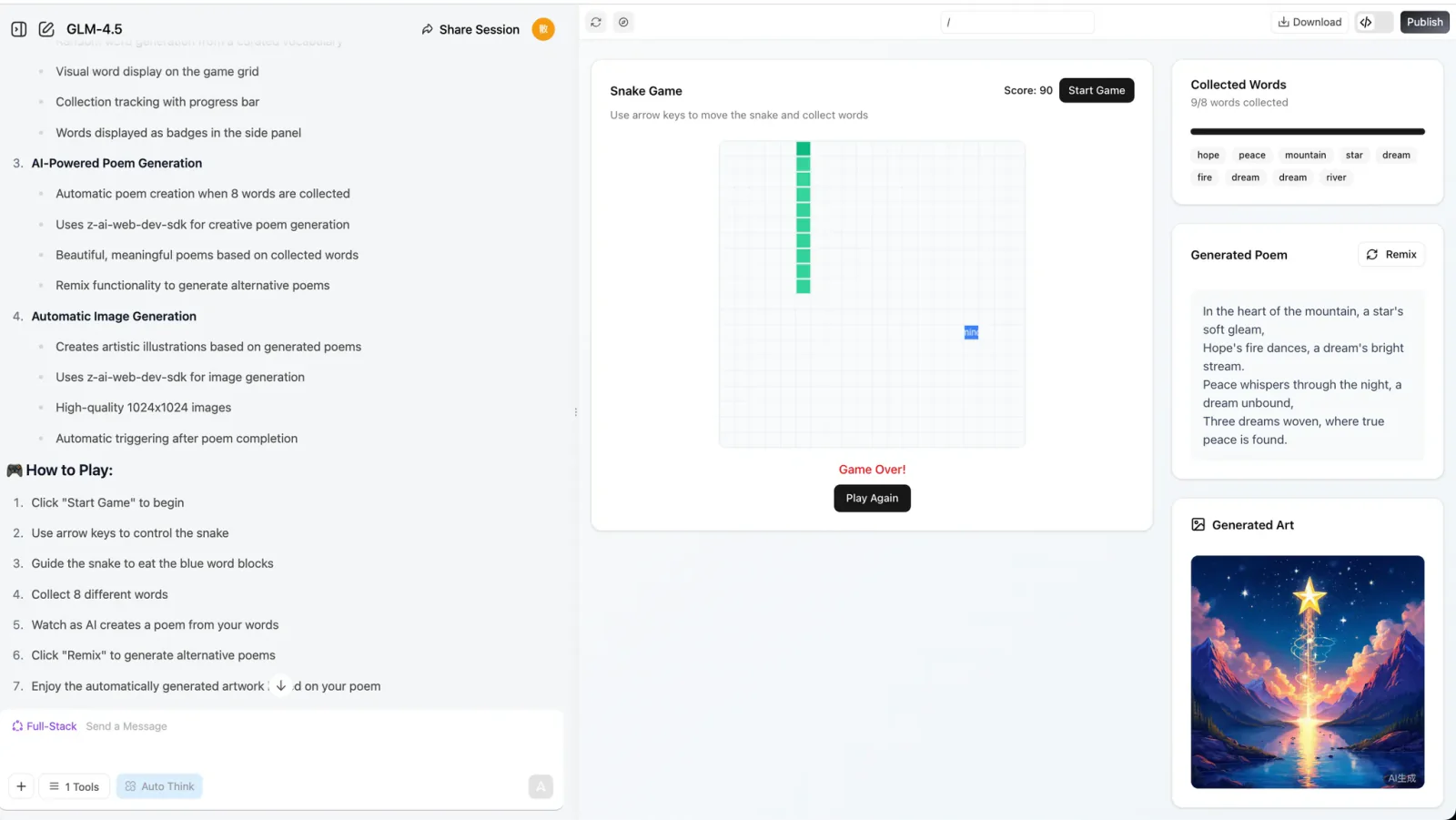
When eating 8 words, the LLM generates a poem using them.
An image generation API is called right after the poem is composed.
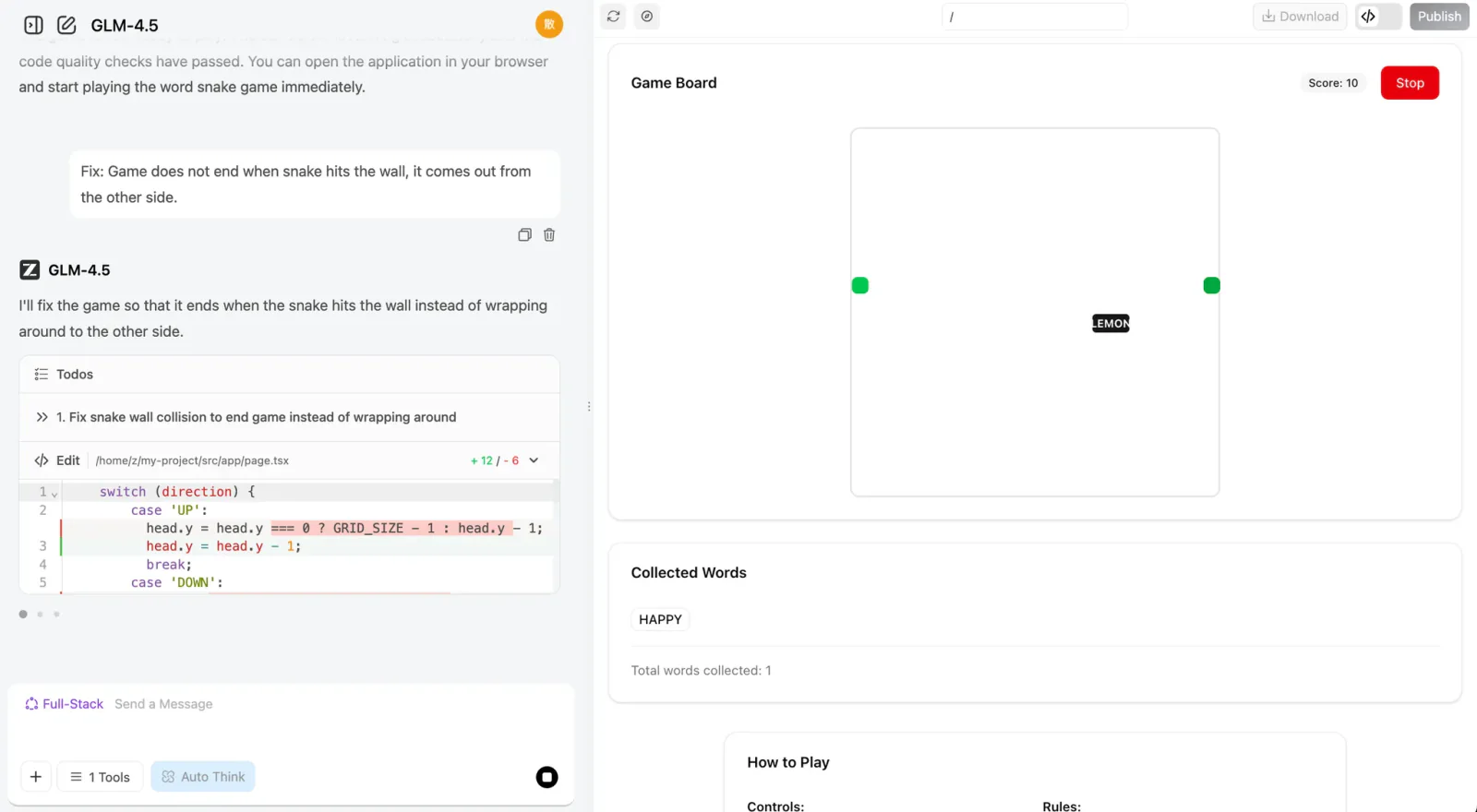
If you face any issues, just screenshot the error or tell the bot what's wrong and it will iterate the changes.
3.2 Add New Features to the Game
After completing the basic functionality, we can try adding some new twists to our program! If you find the process of the snake eating words or characters a bit boring, you can have the snake eat words of different colors and change the snake's color accordingly.
You can also add special effects to the "eating" process, or introduce magic words that trigger special effects—like increasing the snake's speed or size. Another idea is to have the model generate a poem and an image every time the snake eats a word, instead of waiting until it eats eight.
If these feel challenging, you can ask the language model directly for help! It can provide creative suggestions to make your game more fun. Give it a try!
1. "Word Unlocks World" Mechanic
   Feature: After the snake eats a word, the image model instantly generates a small artwork for that word, gradually piecing together a unique panorama created by the player—painting and "writing poetry" as you play.

2. "Poetry Puzzle" Gameplay
   Feature: Each word the snake eats triggers the LLM to generate a line of poetry and the image model to generate an illustration, which combine like puzzle pieces into an AI-collaborative poem and painting at the end of the round.

3. "Magic Words" & "Story Branches"
   Feature: Eating magic words like "wind", "night", or "dream" makes the LLM change the scene's theme, switching the image style to nighttime, stormy, or dreamlike atmospheres; the different words the player eats also keep the AI-generated story evolving.

4. "Real-time Interactive Generation"
   Feature: Each word eaten makes the LLM generate a line of dialogue or description, so NPCs in the game can "speak" and the environment changes accordingly; the snake's appearance and obstacles also change based on the words eaten.

5. "Sentence Snake" Challenge
   Feature: Reverse mode—the LLM gives a line of poetry or a riddle, and the player guides the snake to eat words in order to reconstruct the sentence; eating the wrong word triggers the image model to generate funny, artistic consequences.

6. "Themed Levels" & "Style Selection"
   Feature: At the start of the game, the player chooses a theme (e.g., "fairy tale", "sci-fi", "Tang poetry"), and the LLM and image model adjust the words, poetic style, and visuals to match, making every run feel fresh.

7. "Live Co-creation"
   Feature: When a special word is eaten, the LLM prompts the player to input a phrase or choose a style, then generates matching verses and illustrations, making it a true human-AI co-creation.

8. "A Growing Story"
   Feature: As the snake keeps growing, the LLM continues writing the story-poem, and the image model generates a long panoramic scroll, letting the player experience "writing, painting, and playing" all at once.
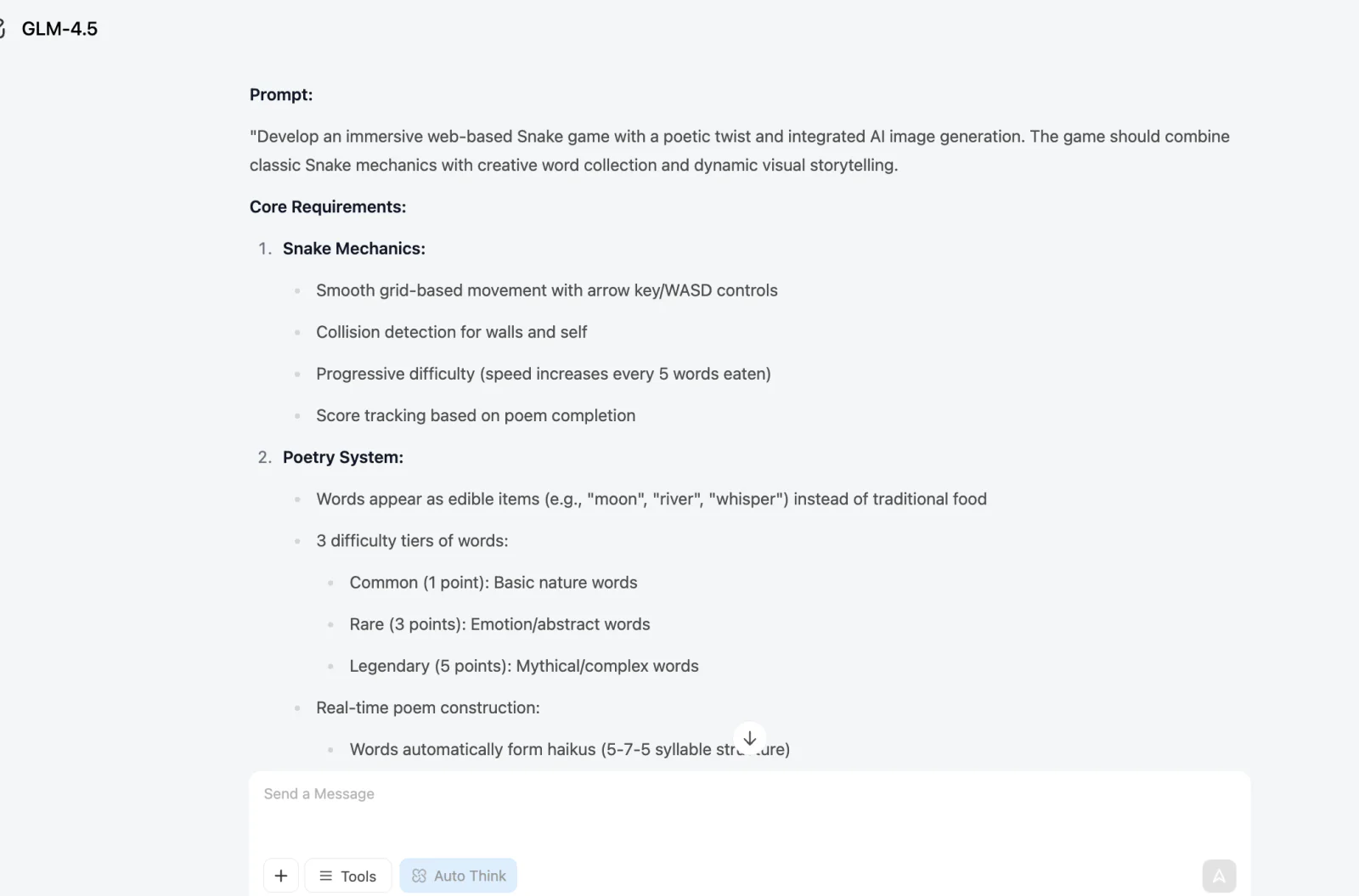
Additionally, we can also ask the LLM to generate project-level prompts for you directly. In the previous section, we only wrote the Snake game prompt ourselves. Now let's try having the LLM generate a prompt with an overall framework and implementation path (you can generate it directly with z.ai).
I want AI to generate a web-based Snake game and need a more complete prompt to make the result more impressive and fun. Please generate the corresponding prompt. The current goal is: generate a Snake game that implements the function of eating different words to generate poetry, and should include an image generation module.
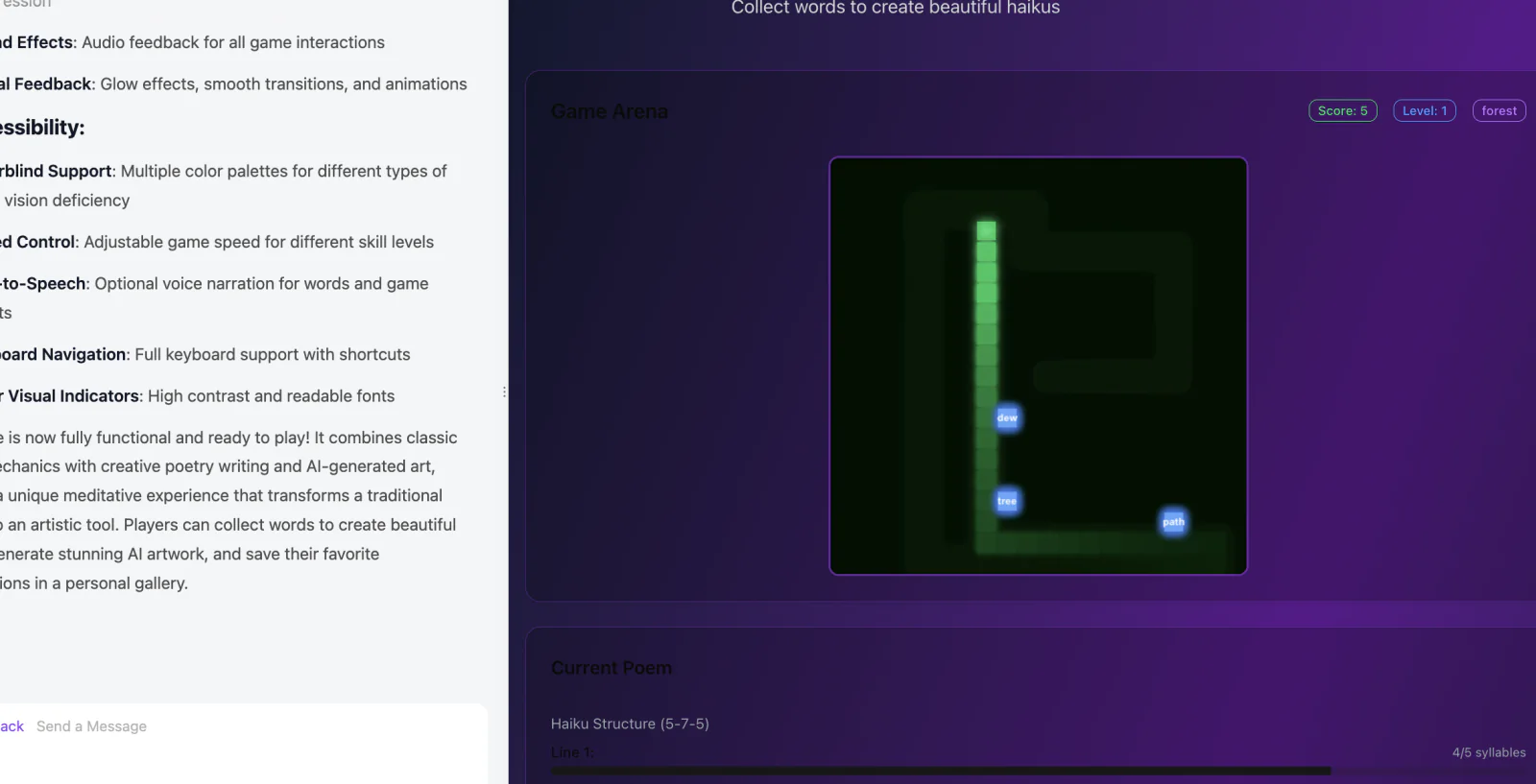
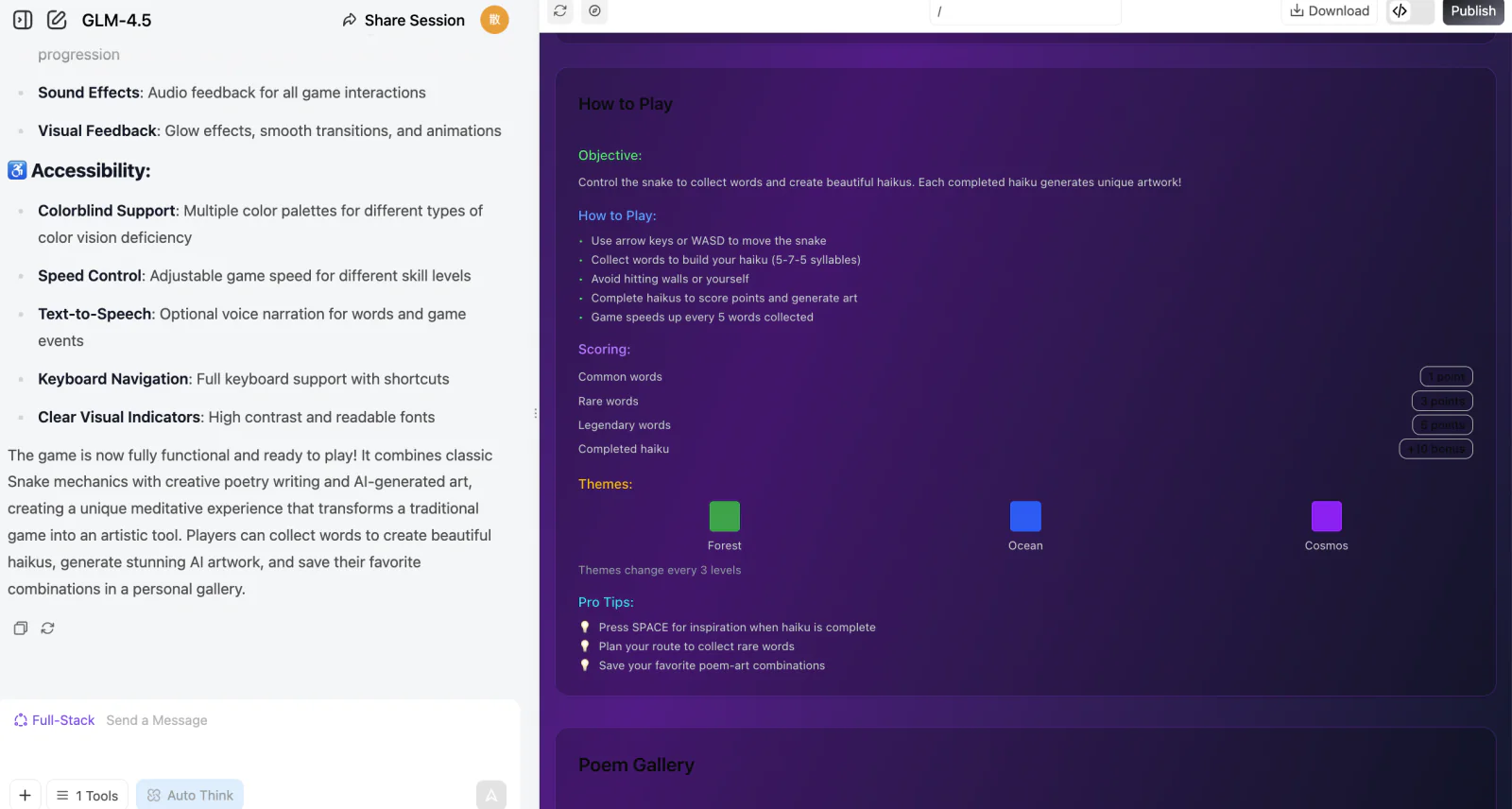
z.ai's response will look like this:
We can use this prompt to regenerate the project in full-stack development mode: